

Starlink installation for tiny homes and rural rental properties: mounting, off-grid power, guest networks and what it costs. Installs from $385.
Starlink installation for tiny homes and rural rental properties is mostly the same work as any residential satellite internet install, with three differences that decide whether it goes well: where the dish can be mounted on a structure that may not have much roof, whether the power system can carry it, and whether guests are getting their own network or yours. Residential installs start at $385. Nationwide Installation Techs covers all 50 states with professional, insured technicians.

The rest of this page works through those three, plus what changes when a property has several units, and when you are better off not hiring anyone.
Starlink Installation for Tiny Homes: Mounting the Dish
Roof space is the first constraint. A tiny home roof is small, often steeply pitched, and frequently carrying solar panels already, so the obvious spot is usually taken. In practice most tiny home installs end up on a pole or ground mount set beside the home rather than on it, which also keeps the dish clear of the trees that tend to surround these properties.
Whether the home moves matters more than anything else. On a permanent foundation, a standard roof, wall or pole mount is fine and the install is conventional. On wheels, a dish bolted to the structure has to be removed or secured before every move, and a mount that survives highway speeds is a different specification from one that sits still. A ground or pole mount beside the parking spot is usually simpler, and if the home relocates regularly the Roam service plan rather than the residential plan is the one to discuss with Starlink.
Power, and Why It Bites in Winter
The standard dish and router together draw roughly 50 to 75 watts in steady use and about 20 watts idle, which most off-grid systems handle without trouble. The number that catches people out is cold weather. Every dish from the second generation onward has a built-in snow-melt heater that switches on automatically at or below freezing, and measured draw with the heater running is another 20 to 30 watts on top, with brief peaks reported around 130 watts. That arrives in the same months as the shortest solar days.
Size the battery bank for that combination rather than for a summer average. If a system comfortably carries a fridge year-round it will generally carry Starlink, but the margin in January is much thinner than the margin in July. Worth checking before the install rather than discovering it in the first cold snap.
One option worth knowing if power is genuinely tight: the Starlink Mini draws roughly 20 to 40 watts, around half the standard dish, and it runs natively on DC so an off-grid setup avoids inverter losses. It is a smaller antenna with lower throughput and a lower-capacity snow-melt element, so it is a trade rather than a free win, but for a single tiny home on a modest battery bank it is often the better fit.
Guest Networks: the Step Most Hosts Skip
This is the part that gets overlooked, and it is the one with real consequences. Handing a guest your main Wi-Fi password is close to handing over a key to every door on the network. Anything else connected to it is potentially reachable: security cameras, smart locks, a thermostat, a network drive with your own files on it, a printer, a laptop left in the owner’s closet.
A separate guest network solves it. Guests get their own segment with no visibility of your equipment, and the guest password can be rotated between bookings without touching any of your own devices. Our expert technicians configure it during the install, and it is the single most useful thing an owner can ask for on a rental property.
Covering More Than One Unit
One dish and one router covers one structure and maybe a porch. It does not cover a second cabin across a clearing, and this is where owners of multi-unit properties usually get caught out.
Mesh nodes extend coverage where there is a reasonably clear path. Where buildings sit further apart, the reliable answer is a point-to-point wireless bridge between them, which avoids trenching conduit across the property and gives each unit a proper signal rather than a weak edge of someone else’s. For a cluster of rental cabins that is normally the right design, and an experienced crew can build it off a single Starlink connection.
What It Costs
A short note before the numbers: pricing is quoted up front and does not change on the day.
- Residential installation from $385, which covers a single tiny home or one rental unit
- Commercial $750 per site, dropping to $650 per site at three or more sites, which is the tier that applies to multi-unit and multi-property owners
- Mobile and RV from $650, relevant for tiny homes on wheels
- Marine from $750
- Virtual site survey free; on-site survey $75 when tree cover or an awkward structure makes the position hard to judge remotely
The full breakdown by service type is in our Starlink installation cost guide.
Why Reliability Matters More on a Rental
On a private home, an outage is an annoyance. On a rental it is a review, and reviews compound. A poor average pushes a listing down in booking-platform search results, fewer people see it, and owners drop the nightly rate to compensate, which tends to attract guests who are harder on the property. One infrastructure problem turns into a cycle that is genuinely difficult to reverse.
Two practical measures are worth the money on a rental where a private home would not need them. Keep the dish and router on a small battery backup, so a brief power cut does not take the connection down for the rest of the evening. And if the property is remote enough that a failure would be expensive, consider a cellular connection as failover. Heavy weather can briefly degrade a satellite signal, and redundancy is worth more when someone else is paying to stay there.
If you plan to advertise internet speed on an Airbnb or Vrbo listing, measure it rather than estimating. Run a check at Speedtest.net from inside the unit during evening hours when the network is busiest, and quote that number. Guests booking a remote property for remote work will test it themselves.
When You Do Not Need Us
Worth saying plainly. A tiny home with a clear view of the sky and an accessible mounting spot is a genuine do-it-yourself install, and the kit is designed for exactly that. If you are buying new from Starlink, its own checkout installation through OnTech runs about $199 and is free on the MAX plan, which is better value than hiring anyone for a straightforward job.
Where an experienced independent installer earns the work on these properties: a kit you already own, a structure with no good mounting position, heavy tree cover, an off-grid power system that needs planning around, several units on one property, a home on wheels needing a mount that travels, an owner who does not live on site, or a system somebody else installed badly.
What We Do Not Do
Knowing where a company stops is as useful as knowing what it sells:
- Our trade is installation rather than retail. Buy the kit yourself and book the labor, or take an install-and-kit bundle if sourcing both together is easier.
- Your Starlink account and monthly plan stay yours. We do not bill it or manage plan changes, including switching between residential and Roam.
- We have no affiliation with Starlink or SpaceX and do not represent them.
- We do not design or install solar and battery systems. We will tell you what the dish draws so your installer can size for it.
- Scope is roof, pole, mast and wall mounting on ordinary structures. No tower climbing and no structural work.
Frequently Asked Questions
Yes, and the approach depends on whether the home moves. A tiny home on a permanent foundation takes a standard residential install with a roof, wall or pole mount. A tiny home on wheels is usually better served by a ground or pole mount beside the home rather than on the roof, since roof space is limited and a dish bolted to a structure that travels needs to be removed or secured each time. If the home relocates regularly, the Roam service plan rather than the residential plan is the one to ask Starlink about.
Usually yes, with planning. The standard dish and router draw roughly 50 to 75 watts in steady use and about 20 watts idle, so a system that comfortably carries a fridge will generally carry Starlink too. What catches people out is winter, because the built-in snow-melt heater adds another 20 to 30 watts when it runs and the shortest solar days arrive in the same months. Size the battery bank for that combination rather than a summer average. If power is tight, the Starlink Mini draws roughly half as much and runs natively on DC.
Yes, and it is the step most hosts skip. Giving guests your main Wi-Fi password is like handing over a key to every door, including any cameras, smart locks, storage devices or personal machines on the same network. A separate guest network keeps visitors on their own segment with no access to your equipment, and it lets you rotate the guest password between bookings without touching your own devices.
Residential installation starts at $385. If you are outfitting more than one unit on a property, or several properties, commercial pricing is $750 per site and drops to $650 per site at three or more sites. Mobile and RV installs start at $650 and marine at $750. Our Starlink installation cost guide sets out the full breakdown by service type.
Sometimes, but not by Wi-Fi alone. One dish and router will cover a single structure and perhaps a nearby porch. Reaching a second cabin fifty or a hundred yards away needs either mesh nodes with a clear path or, more reliably, a point-to-point wireless bridge between buildings. For a cluster of rental cabins that is usually the right answer, since it avoids running conduit and gives each unit a proper signal.
Generally yes, and the honest way to do it is to measure rather than assume. Run a speed test from inside the unit during evening hours when the network is busiest, and quote that figure rather than a marketing number. Guests who book a remote property specifically for remote work will check, and a verified number you can stand behind is worth more than a claim you cannot.
It is worth planning for, because an outage during a booking is what produces the review that costs you. Two practical measures: keep the dish and router on a small battery backup so a brief power cut does not take the connection down with it, and consider a cellular failover for properties where a bad review would be expensive. Heavy weather can briefly degrade a satellite signal, so redundancy matters more on a rental than on a private home.
Most likely. Our professional technicians cover all 50 states, including remote, off-grid and seasonal properties that are awkward to reach. Call (877) 309-1050 with the address and we will say plainly whether we can get to it, rather than booking you in and finding out later.
Yes, and it is common with rental work. We can coordinate access with a property manager or caretaker, and the install is documented on completion so an absent owner can see what was done. For owners running several units, the work can be scheduled as one project with a single point of contact rather than a series of separate bookings.
View Our YouTube Video: The Best Starlink Plan for Your Tiny Home or Off-Grid Lifestyle
About Nationwide Installation Techs
Nationwide Installation Techs runs a nationwide network of professional Starlink installers, providing Starlink installation services through experienced, insured technicians in all 50 states. The company installs Starlink for residential, commercial, mobile/RV, marine, and multi-unit customers, and also provides Wi-Fi extenders, point-to-point wireless bridges, mesh network setup, and Starlink-to-fiber integration. Residential installs start at $385 with no-surprise pricing, and the company maintains a 5.0-star Google rating from 80+ reviews. If you are searching for a Starlink installer near you for a tiny home, cabin or rental property, see the full locations we serve.
Contact Information
Nationwide Installation Techs LLC
- Phone: (877) 309-1050
- Email: support@techinstalls.io
- Free Quote: Contact Us Form
Connectivity News & Updates
Expert Entegra Odyssey RV Starlink Installation | Serving Customers in all 50 States
Mounting Starlink on an Entegra Odyssey means working around a...
Starlink Installation for Mobile Fleets – Nationwide Service
Starlink installation for fleets of work trucks and vans, nationwide....
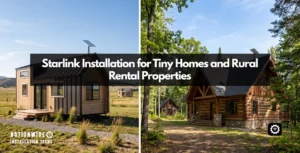
Starlink Installation for Tiny Homes and Rural Rental Properties
Starlink installation for tiny homes and rural rental properties: mounting,...

Our Company Offers Professional Turnkey Starlink Installation, Project Management, and On-Site Repair Services
Nationwide Installation Techs is a professional, insured Starlink installation company...
Disclaimer: Nationwide Installation Techs LLC is an independent business and has no affiliation or official connection with Starlink, SpaceX, or any of their subsidiaries or affiliates. We are not associated with, authorized, endorsed, or sponsored by these companies in any capacity. For official information, please visit the Starlink and SpaceX websites at www.starlink.com and www.spacex.com. The names “Starlink,” “SpaceX,” and any related trademarks, logos, or imagery are the exclusive property of their respective owners.
Any references to “certified” or “certification” on this website refer exclusively to Nationwide Installation Techs LLC’s proprietary in-house technician certification program. This training and certification process was developed by our company based on the experience and installation methods of professional technicians who have collectively completed more than 3,000 successful Starlink installations while maintaining an overall 4.9-star customer review rating. It is not affiliated with, issued by, approved by, or endorsed by Starlink, SpaceX, or any of their affiliates.