

Is Starlink reliable as a failover? Yes, because it reaches the internet by a path that shares no cable, conduit or tower with a fiber, cable or fixed-wireless line, so a cut on your street doesn’t reach it. A router with two WAN ports notices when the main line stops answering and hands traffic to Starlink automatically, and Ookla measured Starlink’s Q1 2026 median at 127.39 Mbps down and 39 ms latency. Our technicians mount the dish, seal the cable entry and wire it to your router, and customers have left 110+ reviews on Google for that work.
Starlink as a failover at a glance:
- Path: a satellite route that shares no physical infrastructure with fiber, cable or fixed-wireless lines, per our backup guide.
- Switchover: a dual-WAN router tests the main line on a timer and hands traffic to Starlink when the tests fail, and Starlink’s router guide suggests a 10-second interval with the link called down after 5 failed tests.
- Speeds: a median of 127.39 Mbps down, 21.46 Mbps up and 39 ms latency for Starlink Speedtest users in Q1 2026, according to Ookla.
- Power draw: 20–40 W average for the Mini and 75–100 W for the Standard 4, per Starlink’s help center.
- Our fee: a one-time install charge, billed apart from your Starlink plan.
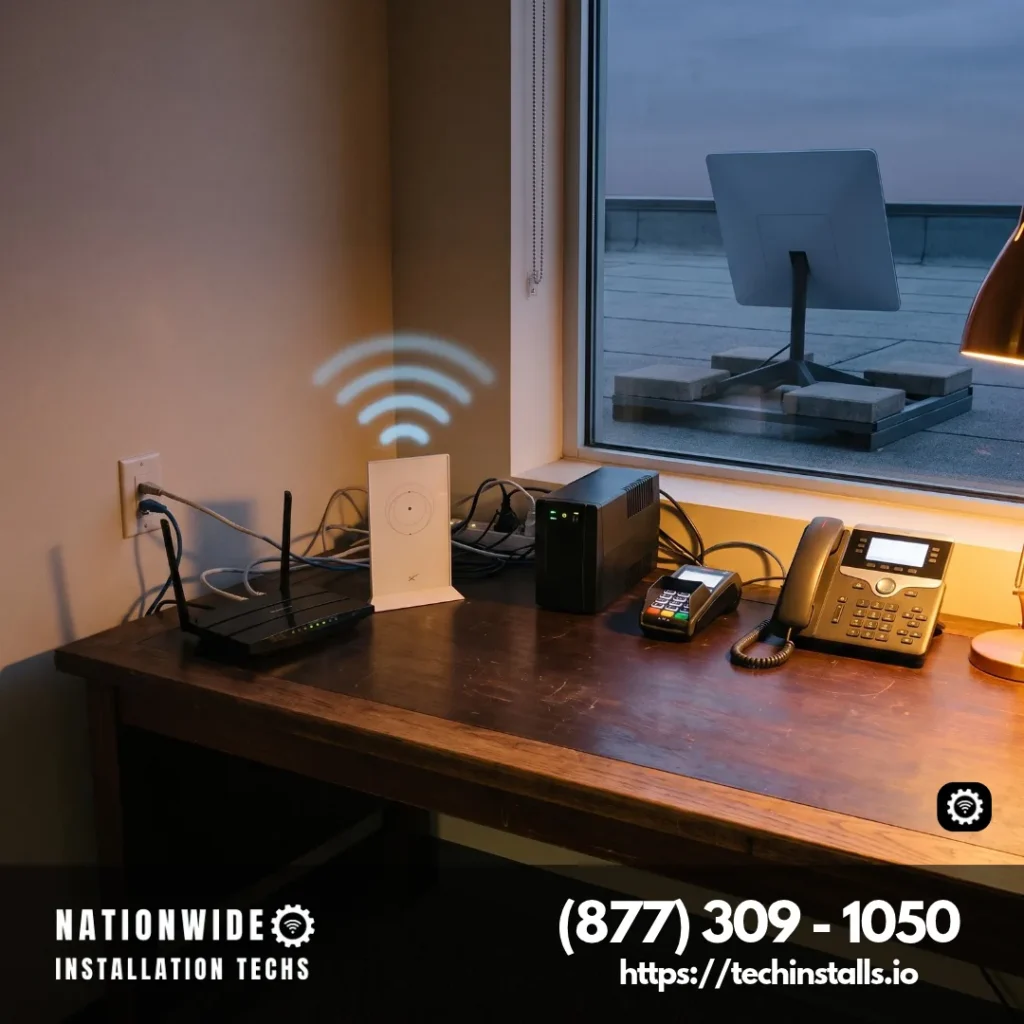
You order the kit and the monthly plan from Starlink, and we handle the install and the router hookup. Photos and our free virtual survey fix the dish spot, the cable route and the router spot before anyone drives out, and a speed test ends the visit. For the business side in depth, read our backup internet guide, and call (877) 309-1050 to book.
Is Starlink Reliable as a Failover? Why a Separate Path Matters
A backup connection earns its place by failing differently from the main one. Two lines from one carrier that share a conduit fail together, and a rival provider’s coax can ride the same utility poles. The dish talks to satellites roughly 340 miles overhead, which relay to a ground station, so nothing in the path is borrowed from a fiber loop, a cable plant or a fixed-wireless tower network, as our backup guide notes.
A backhoe through a fiber trunk, an ice storm at a cell tower and a failed neighborhood DSLAM all happen on the terrestrial side, which is why a Starlink link waiting behind the router keeps a business, a home office or a work truck online through them. Put the router, the modem and the Starlink power supply on the same battery backup, and the second path stays up when the lights flicker.
How Fast Does Starlink Take Over When the Main Line Drops?
Switchover speed comes from the router, not the dish. In the dual-WAN arrangement, the main fiber or cable line plugs into WAN 1 and Starlink plugs into WAN 2. The router pings a target such as 8.8.8.8, and when those pings stop it routes outbound traffic through WAN 2, with our backup guide putting typical activation at 10 to 45 seconds. After the main line recovers, the router returns traffic to it.
Starlink’s own guidance for third-party routers points the health check at a public address such as 8.8.8.8 or 1.1.1.1, because Starlink’s DNS servers don’t answer pings, and recommends checking every 10 seconds and marking the connection down after 5 consecutive failures. Offices that want a faster handoff can put an SD-WAN edge in front of Starlink, which our backup guide says detects a failed link and shifts traffic in under a second, a difference that matters for VoIP calls and real-time databases.
What Speeds and Latency to Expect on a Starlink Backup Link
Ookla’s Starlink report, dated May 5, 2026, lists Starlink’s Q1 2026 medians as 127.39 Mbps down, 21.46 Mbps up and 39 ms multi-server latency, and shows median downloads above 100 Mbps in every state except Alaska for the second half of 2025.
Max uploads sit at 20–40 Mbps, the select-area 200 Mbps and 100 Mbps plans at 15–35, and Starlink caps no Residential plan’s data. Our backup guide calls that plenty for voice calls, video meetings, cloud apps and card payments in an emergency.
List what must keep working on the backup link first, and size the plan around that list. A shop that needs card readers and a phone line has a short list, and an office with a full staff on video calls has a longer one.
Which Starlink Plan Fits a Failover: Home Office, Shop or Business Site
Starlink describes Residential plans as designed for personal or household use at a fixed, land-based location. A home office, or a household that wants a second path for streaming, school and remote work, fits there.
The default Starlink setup uses carrier-grade NAT (CGNAT), which suits traffic that starts inside your network, such as web apps and cloud services. Anything that must be reached from outside, like a VPN endpoint or a web server, wants the public IPv4 option, which Starlink offers on its Priority plans.
For business sites, Starlink points to its Priority plans, described as elevated offerings for businesses and high-demand users, with prioritized network access, public IP and priority support. On December 1, 2026, Starlink renames Local Priority to Business and Global Priority to Global Business. You order the kit and the plan from Starlink, and our one-time install fee is listed on our one-time install rates page.
Starlink Failover Router and Dual-WAN Setup
A failover needs a router with two WAN ports, or a firewall that supports a backup link. Starlink says you can use your own router, and most kits connect over Ethernet. Standard kits have built-in Ethernet on the power supply, Performance Gen 3 uses the provided Ethernet cable to the router’s WAN port, and Enterprise has native Ethernet on the power supply. Starlink’s guide says to set the router’s WAN interface to DHCP.
The Mini has an Ethernet port for the router and a USB-C port for power, and Starlink keeps the change to three moves: pull the plug from the Ethernet port, run a cable to your router, enable bypass. Its bypass guide recommends the official Mini cable to keep the Mini weatherproof, and our Mini router guide goes through the options.
Bypass Mode switches the Starlink router’s Wi-Fi off, which hands control of the network to your router. Starlink lists it as required for Standard Actuated kits and for Standard kits when your router should control Wi-Fi, and usually not needed for kits with an external power supply that has native Ethernet. The third-party router setup guide lists the connection for every kit.
Because the failover router makes the decision, pick a model with health checks and a clear WAN 2 setting, and write down which port carries which line.
VPNs, SD-WAN and Remote Access on a Starlink Failover
Starlink supports VPNs that use TCP or UDP, and says SSL-based VPNs typically traverse CGNAT best. Its VPN article sorts protocols by how they behave behind CGNAT: OpenVPN suits both client and site-to-site use, WireGuard and SSTP suit clients, and IKEv2/IPsec or MPLS suit site-to-site tunnels. GRE, L2TP and IPsec without NAT traversal are the ones that generally need a different protocol, and Starlink says a public IP may help a VPN that relies on them.
Starlink says site-to-site VPN and SD-WAN appliances work when NAT traversal over TCP or UDP is supported on the Starlink side. Our backup guide lists Cisco Meraki, VMware SD-WAN, Fortinet Secure SD-WAN and Cradlepoint among the platforms we integrate Starlink with, and it recommends turning on Bypass Mode so the WAN IP passes straight to the SD-WAN firewall.
Remote access to cameras, recorders or a server follows the same pattern. Cloud apps reach out on their own, and anything that must be reached from the internet uses the public IP option. Our static or dynamic IP guide walks through the choices.
Who Benefits Most from a Starlink Backup, and Who Can Keep It Simple
A Starlink failover pays off for anyone whose day stops when the connection does. A shop with card readers, an office with phones and cloud software, a clinic front desk, a remote worker on deadline, a farm office with camera feeds and a job-site trailer all gain a second path that doesn’t depend on the first. Businesses with several sites can get one standard at every location through multi-site business installation, and a property with outbuildings can reach each one through a building-to-building wireless bridge that uses one Starlink connection.
Not every setup needs the same arrangement. A household that rarely leans on its connection can keep its current service and add Starlink when a new job or a storm season makes a second path worth having. Our backup guide says a Residential kit works for small businesses with modest bandwidth needs, and a home that wants a hands-off result can have us set up a home router and mesh setup around the dish.
Failover on the Move: Vehicles, RVs and Boats
Starlink reserves in-motion use, up to 100 mph in authorized locations, for Roam and Priority plans, and lists the Mini, Standard 4, Standard 4 X, Performance Gen 2 and Performance Gen 3 as supported hardware. Residential plans are for the fixed address, so a vehicle or vessel takes a Roam or Priority plan.
A vehicle that already carries cellular can add Starlink as the second path. Our fleets page says a dual-WAN router lets a truck fail over instead of dropping, and that the router belongs in the cab, where it stays sheltered. See dual-WAN fleet vehicles for how that is planned.
RVs and campers gain the same flexibility. A sunroof suction mount keeps the Mini’s own Wi-Fi in play, a dish on the roof sits behind metal so the cable runs to a router inside the rig, and Performance Gen 3 kits need a router in every case. Our RV router and dish setup page covers both.
Pickups get a different spot in our cars and trucks plan: along the bed rail or on the headache rack, away from the cab roof. See pickup truck dish mounting for the details.
Boats and yachts follow the same plan guidance. Our marina boat Starlink installation page covers the slip, the dry-storage yard and the private dock, and places the dish where a tower, arch or bimini won’t shade it while the vessel moves.
Power for the Failover Path: UPS and Solar
A failover keeps running as long as the equipment stays powered. Starlink publishes whole-kit figures that count the dish, router, power supply and cables: 20–40 W on average and 15 W idle for the Mini, 75–100 W on average and 20 W idle for the Standard 4. They are AC input averages that move with temperature, location and use. Size a UPS against the larger figure plus your own router and modem, and a solar generator against the same total for long outages.
For a long outage, our UPS and solar backup guide shows where a generator or solar generator takes over from a UPS.
Test the Failover Before You Need It
- Write the must-keep list. Card readers, phones, a VPN tunnel and the cloud apps your day depends on.
- Pull the main line. At a quiet hour, unplug the main WAN cable and time how long the router takes to move traffic to Starlink.
- Check every item on the list. Run a card, place a call and bring up the VPN over the backup link.
- Plug the main line back in. Confirm that traffic returns to it on its own.
- Check the health-check target. Point it at 8.8.8.8 or 1.1.1.1, since Starlink’s DNS servers don’t answer pings.
Repeat the test after a router update, so the plan you wrote down is the plan that runs.
Starlink Failover Questions Answered
Yes. Starlink travels a satellite path that shares no cable, conduit or tower with fiber, cable or fixed-wireless lines, so it keeps working when a terrestrial line is cut. Ookla’s Q1 2026 Speedtest data show a Starlink median of 127.39 Mbps down at 39 ms.
With a dual-WAN router, typical switchover is 10 to 45 seconds, and an SD-WAN edge can shift traffic in under a second. Starlink’s router guide suggests checking every 10 seconds and marking the link down after 5 consecutive failures.
Yes. For business sites Starlink recommends its Priority plans, with prioritized network access, public IP and priority support, and those plans are renamed Business and Global Business on December 1, 2026. Our backup guide adds that a Residential kit works for a smaller site with modest bandwidth needs.
Yes. Starlink says you can use your own router, and most kits connect by Ethernet to the router’s WAN port, with the WAN set to DHCP. The main line goes on WAN 1 and Starlink on WAN 2.
Yes. Once bypass is on, the Mini’s Ethernet port carries the link to your router, using Starlink’s Mini cable or any Ethernet cable. A shop, a cabin or a trailer can supply that easily: Starlink publishes 20–40 W average and 15 W idle for the Mini.
Turning on Bypass Mode disables the Starlink router’s Wi-Fi so the router in front of your network takes over. Starlink requires it for Standard Actuated kits and for Standard kits when your router should control Wi-Fi, and usually doesn’t need it on kits whose power supply has native Ethernet.
Yes. Starlink supports VPNs that use TCP or UDP, and SSL-based VPNs typically traverse CGNAT best. OpenVPN, WireGuard and SSTP are listed as client protocols that generally work well, and the public IP option helps VPNs that CGNAT blocks.
Yes. Starlink says site-to-site VPN and SD-WAN appliances work when NAT traversal over TCP or UDP is supported, and our backup guide lists Cisco Meraki, VMware SD-WAN, Fortinet Secure SD-WAN and Cradlepoint among the platforms we integrate, with Bypass Mode on the Starlink router.
It comes in two parts. Starlink bills the monthly plan, and the price for your address shows on Starlink’s order page. Our one-time install fee is billed apart from that plan and is listed on our install rates page, so you see both numbers before you book.
Yes. Residential plans are built for personal or household use at a fixed location and include unlimited data, which gives a home office room for cloud apps and calls. Max has the highest uploads, listed at up to 20–40 Mbps.
Starlink’s public IPv4 option is available on its Priority plans, which become Business and Global Business on December 1, 2026. You switch the IP policy to Public IP in your Starlink account. Outbound traffic such as web apps and cloud services works over the default CGNAT setup, and since that default doesn’t allow inbound traffic, anything that must be reached from outside uses the public IP option or a VPN.
Yes, where it is available. Standby Mode pauses service on Roam and Residential plans and gives unlimited low-speed data, up to 500 Kbps, for emergency messaging. Resuming brings full-speed service back on any plan available in your area.
Yes. Starlink’s whole-kit averages are 20–40 W for the Mini and 75–100 W for the Standard 4, so a UPS or solar generator sized to that number plus your router and modem keeps the second path up through an outage.
Yes. Starlink’s dishes and power supplies are water-jet and dust resistant, with the Performance Gen 1 and Gen 2 dishes rated IP56, and seating the cable fully before exposure gives the connection its rated protection. Our yachts page adds that the Flat High Performance kit operates from -30°C to 50°C (-22°F to 122°F), and its spec sheet lists wind survival above 174 mph.
Yes. Traffic moves to Starlink when the router’s health checks fail, and our backup guide judges Starlink more than sufficient for VoIP calls, video meetings, cloud applications and point-of-sale transactions during an outage. An SD-WAN edge can shift traffic in under a second.
Yes. Starlink supports in-motion use up to 100 mph, in authorized locations, on Roam and Priority plans with the Mini, Standard 4, Standard 4 X or Performance Gen 2 or Gen 3 hardware, and a dual-WAN router, described on our fleets page, lets a truck fail over rather than drop.
About Nationwide Installation Techs
Each failover install rests on a firm mount, a sealed cable entry and a router placed where it can see both lines. More than 3,000 Starlink installs sit behind that routine, our visits are insured, and we are independent of Starlink and SpaceX. Our Google rating is 4.9 stars from 110+ reviews. See the cities we serve across the country or call (877) 309-1050 to book.
Plan a Starlink Failover Install
Nationwide Installation Techs LLC
- Phone: (877) 309-1050
- Email: support@techinstalls.io
- Free Quote: Contact Us Form
Read What Our Customers Say
Posted on Google
 Ray Marsh4 days ago
Trustindex verifies that the original source of the review is Google.
I was very pleased with the professional service I received during the process of contacting Nationwide about my Starlink install and setup. They went beyond helping me out about everything I would need and the Technion was very good and showed up on time and made sure everything was working well before he left.Posted on Google Thad Humphrey6 days agoThe tech was on time, professional, courteous, and friendly. The installation looks great, works great and I’d recommend them to anyone.Posted on Google
 rick butterfield9 days agoEmployee who installed my replacement StarLink did an excellent job. Professional, knowledgeable, great to work withPosted on Google
 Tracy Vass18 days agoHad a Starlink mini installed. Tech got right to it and got cables run through the crawl space and into my “Comms closet” in my garage. Tech was familiar with the Hardy siding on the house and was able to get the mini mounted with no issues. Antenna was aligned and tested and working in short order. Whole heartedly recommend Nationwide Installation Techs. Install was done in Coupeville, WA.+2Posted on Google
 Joyce Stowe22 days agoI had my Starlink installed at my home this past June, and it’s been working well. It was really easy working with these guys — from appointment setup to install. I’d highly recommend them to anyone who’s wanting a professional Starlink install.Posted on Google
 Jeff Reiss24 days agoExcellent service and even better people. Super helpful to work with.Posted on Google
 Nathan Shrout27 days agoGreat customer service and they were very quick to respond. Our Starlink was not working in our RV. Harold and Grant were great to work with.Posted on Google
 Patrick Collins39 days agoInstaller was friendly and made quick work of the installation. We had an issue connecting to our network, but he was able to troubleshoot the issue with me. Very pleased with whole process.Posted on Google
 Bonnie Wernette39 days agoWorks great. No issues whatsoever. Tv doesn’t freeze and haven’t been kicked off once. Glad I got it.Posted on Google
 Dan Hickox40 days agoAlthough the tech had some problems the first time he came out, he and his team stuck with me until a successful solution was found. Professionally done, honest, the second trip did the job. The Starlink AI agent was singularly unhelpful; but Nationwide Installation Techs LLC filled the gap with real humans who understood the problem and got the correct equipment and installed it properly. Now I have great TV and WiFi service in a remote part of the Colorado mountains.Verified by TrustindexTrustindex verified badge is the Universal Symbol of Trust. Only the greatest companies can get the verified badge who has a review score above 4.5, based on customer reviews over the past 12 months. Read more


Get a Free Quote
Tell us about your main line and your site, and your install quote follows.
By submitting your contact information through this website, you agree to be contacted by our company regarding your inquiry. We respect your privacy — your information will not be sold, shared, or added to any third-party marketing lists. Your details are used solely for communication related to our services.
Connectivity News & Updates

Starlink Dynamic Pricing for Residential
Starlink dynamic pricing for Residential plans matches your monthly rate...

Is Starlink a Static or Dynamic IP Address?
Is Starlink a static or dynamic IP address? Starlink assigns...

Will Starlink Still Work If the Power Goes Down?
Will Starlink still work if the power goes down? Yes....

Can Starlink Be Used in a Moving Vehicle?
Can Starlink be used in a moving vehicle? Yes. Starlink...
Disclaimer: Nationwide Installation Techs LLC is an independent business and has no affiliation or official connection with Starlink, SpaceX, or any of their subsidiaries or affiliates. We are not associated with, authorized, endorsed, or sponsored by these companies in any capacity. For official information, please visit the Starlink and SpaceX websites at www.starlink.com and www.spacex.com. The names “Starlink,” “SpaceX,” and any related trademarks, logos, or imagery are the exclusive property of their respective owners.
Any references to “certified” or “certification” on this website refer exclusively to Nationwide Installation Techs LLC’s proprietary in-house technician certification program. This training and certification process was developed by our company based on the experience and installation methods of professional technicians who have collectively completed more than 3,000 successful Starlink installations while maintaining an overall 4.9-star customer review rating. It is not affiliated with, issued by, approved by, or endorsed by Starlink, SpaceX, or any of their affiliates.