

Can Starlink be used in a moving vehicle? Yes. Starlink keeps the dish online while the wheels turn on any of its three mobile plan families, Roam, Local Priority and Global Priority, right up to 100 mph wherever it holds approval, a list that includes the United States and Canada. Pair one of those plans with a kit Starlink lists for driving, fasten it to the roof, and the connection rides along at highway speed. Fastening it properly is the part our installers handle on vans, pickups, motorhomes and boats.
Starlink’s in-motion hardware list names five kits: the Performance (Gen 3), the earlier Performance (Gen 2), the Standard 4, the Standard 4 X and the Starlink Mini. Older models built around motors that tilt the dish, such as the Standard Actuated and the first Performance generation, sit outside it. On road vehicles we fit the two that come with purpose-built vehicle mounts. The Mini is a 1.10 kg panel averaging 25 to 40 watts. Starlink rates the Performance dish to survive winds past 174 mph and to run anywhere from -40°F to 140°F, and its IP68 and IP69K ratings cover half an hour under a meter of water or a pressure washer.
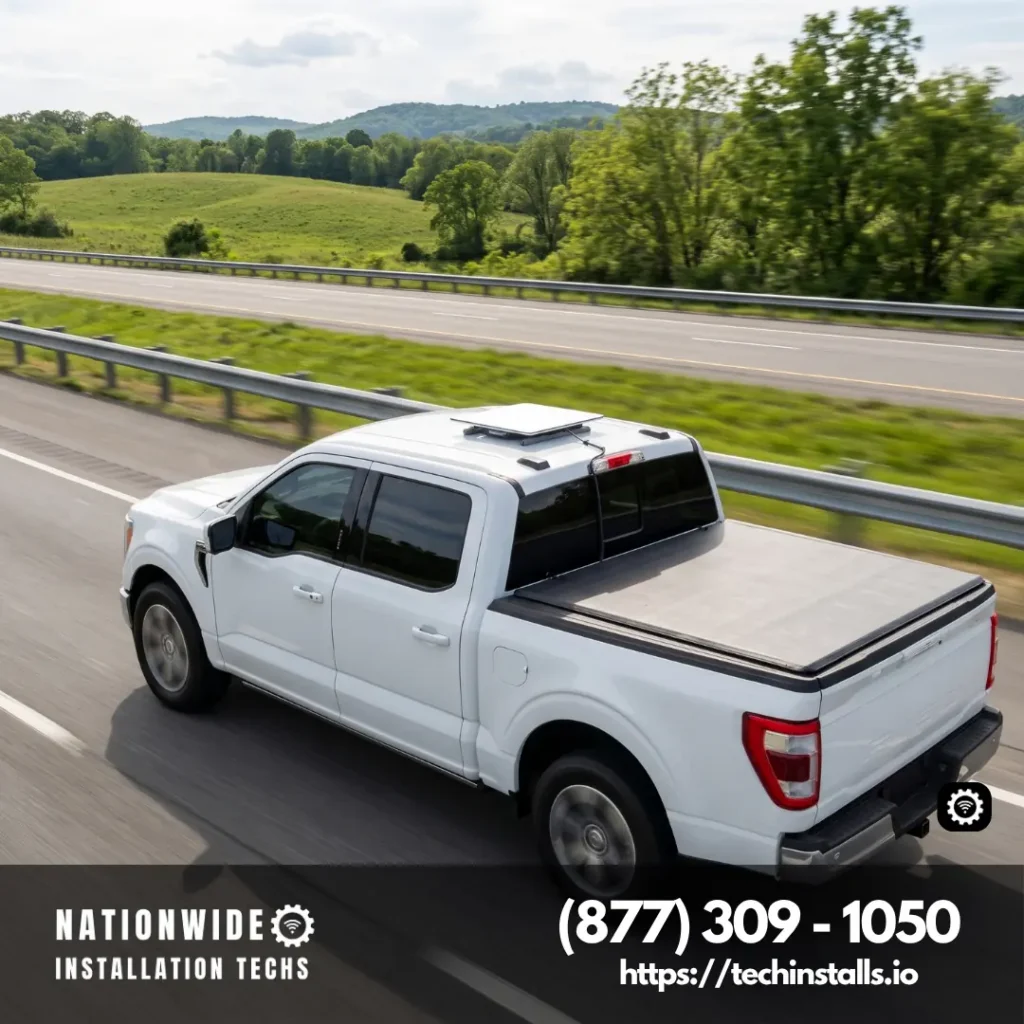
Either kit performs as well as the install under it. In practice that is four things done right: structural bolts under the mount, one sealed hole for the cable, a fused feed from an auxiliary or house battery, and a router close to the seats, all proven with a live connection in the Starlink app before the keys go back. Rates sit in our install pricing breakdown, one line for each kind of vehicle and vessel.
Which Starlink Plans Allow Use While Driving or Boating
Moving use comes from the service plan as much as the hardware. Starlink names three plan families for it, and each one covers a different map:
| Plan | Where it works while moving |
|---|---|
| Roam (50GB, 100GB, 300GB and Unlimited) | Roads in your home country or region, inland waterways and territorial waters out to 12 nautical miles; Roam Unlimited adds Ocean Mode for open water |
| Local Priority | Inland routes, lakes and rivers |
| Global Priority | Land and ocean wherever Starlink operates, with up to two terminals per line on the same vehicle or vessel |
A Residential plan belongs to the home address, so a household that wants Starlink in the truck moves that line to Roam or adds a second kit for the road. Standby Mode is the low-cost pause for a rig in storage, and the driving plans above are the ones that keep the dish working on the highway. For data tiers and how much a long trip burns, our Roam plan comparison goes plan by plan.
Can Starlink Be Used in a Moving Vehicle at Highway Speed?
Yes. Starlink caps moving use at 100 mph, or 160 km/h, on Roam and Priority plans wherever in-motion service is approved, which leaves plenty of room above any interstate limit. Aircraft are a separate category, served by Starlink’s General Aviation plans rated to 300 or 450 mph.
Authorized locations come into play at a border. Crossing into Canada changes nothing on Roam, because Starlink groups the two countries into a single home region, and a drive from Texas to Alberta never leaves it.
Real driving bears this out. In SatelliteInternet.com’s July 2026 Starlink Mini road test, freeway streaming ran without interruption, and the only dropouts came under parking-garage roofs and in tunnels, with the signal back as soon as open sky returned.
Mounting a Starlink Mini for the Road
The Mini Mobility Mount is the hardware we reach for on vans, SUVs and pickups. It holds the panel at 9 degrees, uses stainless hardware on any common roof skin, and ships with 20, 30 and 50 mm bolt lengths so the fasteners suit the roof’s thickness. We drill 1/4-inch holes, set a stainless washer and a sealing washer on every bolt, bed the base in silicone, and point the arrow molded into the mount toward the front of the vehicle, as Starlink’s guide directs.
Rigs with crossbars take the Mini Roof Rack and Rail Mount instead. It grips flat-profile bars up to 88 mm wide, using its short side on bars 12 to 32 mm thick and its long side on bars 28 to 48 mm thick, so a vehicle with round tubes gets a pair of flat crossbars to clamp onto.
Once the Mini lives on the roof, the steel or fiberglass overhead stands between its built-in Wi-Fi and the seats. Inside, a router mounted in the cab or coach takes over the Wi-Fi, fed by the Mini Starlink Cable through a sealed roof entry; our Mini router explainer walks through that layout. For power, Starlink’s Car Adapter feeds the Mini over USB-C from a dash outlet, or we land a fused DC line on the Mini’s own power input.
The Performance Kit on Work Trucks and Overland Builds
Work trucks, overland builds and anything that sees washboard roads get the Performance kit on its Flat Mount. That mount sits 2 degrees off level for a low profile and carries Starlink’s 174 mph wind rating. The 8-degree Wedge Mount trades a lower profile for quicker rain runoff when the truck sits parked, and the pipe adapter belongs on fixed sites. We set the Flat Mount level on the cab roof or on flat crossbars, lower edge toward the front, and bolt it through the mount’s own holes rather than clamping it around a round rack tube.
The kit’s Advanced Power Supply is what makes it a road machine. It accepts 100 to 240 V AC or 12 to 56 V DC, so we wire it straight from the vehicle’s auxiliary battery through a fuse, and the same box carries a high-power PoE output for the dish, a LAN port and a connection for a backup battery. A 25 m Performance cable and a 5 m Ethernet cable come in the box, and the router is your choice of a Starlink Gen 3 Router, a Router Mini or a third-party unit. SlashGear’s Performance kit explainer covers the hardware in more depth.
Wiring Power and Cable Into the Vehicle
Every moving-vehicle job starts with a power budget. We size a dedicated fused circuit to the dish on the roof, 25 to 40 watts on average for a Mini or 75 to 100 for a Performance dish, with the router’s draw added on top. A motorhome or camper van draws that circuit from its house battery bank. On a truck or van without one, an auxiliary battery charges off the alternator as you drive and keeps the dish’s draw away from the battery that has to crank the engine.
We treat the cable run as carefully as the mount. We enter the roof once through a sealed gland, clip the run so nothing flaps at speed, and leave a drip loop below every entry. The router mounts where vibration is lowest and the people are closest, behind a seat, in an overhead cabinet or on a dash panel.
Vans, Sleeper Cabs, Camper Trailers and Boats
Different vehicles call for different layouts. On family road trips, Starlink internet in a car means the Mini on the roof and a router under a seat, so passengers stream and work between gas stops. Long-haul drivers and the companies that dispatch them use Starlink for truckers to keep a sleeper cab online for video calls with home and streaming on a rest break. On towables, Starlink for camper trailers means the dish rides on the trailer roof, so the campsite is online the moment the wheels are chocked, and motorhomes stay connected for the passengers while someone else drives.
Boaters get Starlink on a moving boat from Roam on any inland lake or river and inside the 12-nautical-mile territorial line, then switch on Ocean Mode with Roam Unlimited or move to Global Priority once they head offshore. For contractors and emergency teams, a dish on a command truck is Starlink business continuity on wheels, carrying office connectivity to any job site. At home, the household dish stays on its own Starlink roof mount, and a ranch that keeps Starlink at the main house uses a point to point wifi antenna to reach the barn where the rig parks between trips.
What Our Moving-Vehicle Starlink Installs Include
A moving-vehicle install from our team follows the same order every time. Sky first, using the obstructions tool in the Starlink app along the roof; then the mount, anchored into structure; then sealant on every bolt and around the cable gland; then the fused power circuit; then the router, placed and set up; and last, a live connection test with you standing beside the vehicle.
Pricing is per vehicle: $650 for a car, truck, van or RV, and less for each one when a family or fleet books three or more. Boats and yachts are quoted from $750. Labor coverage lasts twelve months from the install date and takes in the mount, the wiring and every seal we make.
Driving With Starlink: Your Questions Answered
Yes. With an approved kit bolted to the vehicle and a mobile plan on the account, Starlink stays connected at highway speed, up to 100 mph, across approved countries such as the US and Canada. Roam, Local Priority and Global Priority all qualify.
Yes. The Mini is on Starlink’s in-motion hardware list. We hard-mount it on the roof or rack, run Ethernet to a router in the cab and power it from a 12 to 24 V outlet or a fused circuit.
Yes, with the Standard 4 or Standard 4 X kit, both on Starlink’s in-motion list. Motorized models such as the Standard Actuated are left off it, and on road vehicles we fit the Mini or the Performance dish for their low-profile mounts.
Yes. From the 50GB tier up to Unlimited, each Roam plan keeps the dish working at speeds as high as 100 mph, over land, lakes, rivers and coastal water.
100 mph, or 160 km/h, the cap for every Roam and Priority plan. Aircraft use Starlink’s General Aviation plans, rated to 300 or 450 mph.
Yes. Roam covers inland waterways and territorial waters out to 12 nautical miles, Roam Unlimited adds Ocean Mode for open water, and Global Priority covers land and ocean alike.
Yes. A Mini or Performance dish on the cab roof keeps a sleeper cab online at highway speed, and a router inside the cab carries Wi-Fi to the bunk for calls home and streaming on a break.
A hard mount bolted to the vehicle. We use the Mini Mobility Mount or the Roof Rack and Rail Mount for the Mini, and the Performance Flat Mount for highway driving, set level on the cab roof or on flat crossbars.
Each kit has its own path. The Mini takes power over USB-C from Starlink’s Car Adapter or from a fused DC line, and the Performance kit’s Advanced Power Supply accepts the vehicle’s 12 to 56 V DC directly.
Yes. We mount the dish on the coach roof and the router inside, and the house batteries keep both running, so passengers stay online while the driver handles the road.
Our technicians do, on cars, pickups, vans, motorhomes and boats nationwide. A road vehicle is $650 (less each for three or more), a boat is $750, and labor is covered for twelve months on every install.
About Nationwide Installation Techs
Our technicians have now passed 3,000 Starlink installs, and plenty of those jobs roll or float: service trucks, camper vans, pontoons, offshore boats. As Nationwide Installation Techs LLC we work insured and on our own, with no ownership link to Starlink. Your kit order and service plan stay between you and Starlink, and everything that touches the vehicle, from drilling the roof to tucking the last cable clip, is our job. One call to (877) 309-1050 reaches the team behind a 4.9-star Google rating from 110+ reviews, and the areas our technicians serve span the whole country.
Schedule a Moving-Vehicle Starlink Install
Nationwide Installation Techs LLC
- Phone: (877) 309-1050
- Email: support@techinstalls.io
- Free Quote: Contact Us Form
Read What Our Customers Say
Posted on Google
 Tracy Vass6 days ago
Trustindex verifies that the original source of the review is Google.
Had a Starlink mini installed. Tech got right to it and got cables run through the crawl space and into my “Comms closet” in my garage. Tech was familiar with the Hardy siding on the house and was able to get the mini mounted with no issues. Antenna was aligned and tested and working in short order. Whole heartedly recommend Nationwide Installation Techs. Install was done in Coupeville, WA.+2Posted on Google lfc church6 days agothey are very professionalsPosted on Google
 Joyce Stowe10 days agoI had my Starlink installed at my home this past June, and it’s been working well. It was really easy working with these guys — from appointment setup to install. I’d highly recommend them to anyone who’s wanting a professional Starlink install.Posted on Google
 Jeff Reiss12 days agoExcellent service and even better people. Super helpful to work with.Posted on Google
 Nathan Shrout15 days agoGreat customer service and they were very quick to respond. Our Starlink was not working in our RV. Harold and Grant were great to work with.Posted on Google
 Patrick Collins27 days agoInstaller was friendly and made quick work of the installation. We had an issue connecting to our network, but he was able to troubleshoot the issue with me. Very pleased with whole process.Posted on Google
 Bonnie Wernette27 days agoWorks great. No issues whatsoever. Tv doesn’t freeze and haven’t been kicked off once. Glad I got it.Posted on Google
 Dan Hickox28 days agoAlthough the tech had some problems the first time he came out, he and his team stuck with me until a successful solution was found. Professionally done, honest, the second trip did the job. The Starlink AI agent was singularly unhelpful; but Nationwide Installation Techs LLC filled the gap with real humans who understood the problem and got the correct equipment and installed it properly. Now I have great TV and WiFi service in a remote part of the Colorado mountains.Posted on Google
 Dave Costanzo32 days agoFrom first contact with Grant at their Tx call center to a rapid installation date was a great experience! Grant never pressed, in fact, we landed up talking about other things we had in common. The local installer was prompt and friendly and handled a difficult job with a great can do attitude! In an era of hurry up to make a decision then wait in line, this whole process was exceptional! Coming from me who spent 30 years in sales and marketing can be hard to impress…this whole process from start to finish was very impressive!Posted on Google
 Cherie Karmilovich33 days agoGame-Changer for Rural Internet! Living in a rural area, reliable high-speed internet has always been a challenge. We don’t have fiber, and while we have Spectrum cable, it’s pricey and inconsistent. For four years, I relied on a Verizon home setup with a mesh system, which was just okay—until that equipment failed and I had to upgrade to their newer version. It was an absolute disaster. Nothing worked consistently: my Ring doorbells wouldn't connect, and our TVs constantly buffered. Desperate for a real solution, a friend recommended Starlink, and I decided to go all-in on their top-tier plan. With a large, three-story, 5,000-square-foot home and an unobstructed view of the sky, I was blown away from day one. Remarkably, Starlink’s router alone provided coverage across the entire house before I even added a mesh system. Though I went ahead and installed a new mesh setup for maximum strength in every single corner, the baseline performance on day one was already incredible. Even better? It was installed on a wall mount attached to our gable, which was quick and easy. We hit one minor snag initially when the contracted installers wouldn't climb the roof, but Starlink's support team stepped in immediately. I honestly have to say: that was the best customer service I have ever experienced in my 59 years of living. They resolved the issue seamlessly and went above and beyond. I was also deeply concerned about how satellite internet would handle bad weather. Literally the night it was installed, it was storming and raining heavily—yet every device stayed connected without a single glitch. We’ve had a few severe storms since, and I haven't experienced a single drop in service. If you have an unobstructed view of the sky and are tired of unreliable options, I cannot recommend Starlink enough. It is an absolute game-changer!Verified by TrustindexTrustindex verified badge is the Universal Symbol of Trust. Only the greatest companies can get the verified badge who has a review score above 4.5, based on customer reviews over the past 12 months. Read more


Get a Free Quote
Send us the vehicle or boat you want online, and a quote comes back from our team quickly.
By submitting your contact information through this website, you agree to be contacted by our company regarding your inquiry. We respect your privacy — your information will not be sold, shared, or added to any third-party marketing lists. Your details are used solely for communication related to our services.
Connectivity News & Updates

Details About the Starlink Holiday Subscriber Growth Push
The Starlink holiday subscriber growth push is SpaceX’s plan to...


Disclaimer: Nationwide Installation Techs LLC is an independent business and has no affiliation or official connection with Starlink, SpaceX, or any of their subsidiaries or affiliates. We are not associated with, authorized, endorsed, or sponsored by these companies in any capacity. For official information, please visit the Starlink and SpaceX websites at www.starlink.com and www.spacex.com. The names “Starlink,” “SpaceX,” and any related trademarks, logos, or imagery are the exclusive property of their respective owners.
Any references to “certified” or “certification” on this website refer exclusively to Nationwide Installation Techs LLC’s proprietary in-house technician certification program. This training and certification process was developed by our company based on the experience and installation methods of professional technicians who have collectively completed more than 3,000 successful Starlink installations while maintaining an overall 4.9-star customer review rating. It is not affiliated with, issued by, approved by, or endorsed by Starlink, SpaceX, or any of their affiliates.