

Commercial Wi-Fi installation in Dallas from Nationwide Installation Techs, (877) 309-1050, puts insured, background-checked technicians into office suites, distribution buildings, retail floors, restaurants and medical offices in every part of Dallas and throughout Dallas County. Each location starts with a survey of the floor plan, the ceiling and anything that blocks signal, and the outcome is a written scope with a fixed price, agreed before we schedule a visit. We build to your IT team’s design when one exists and plan the placement ourselves when it doesn’t. Contact us for a free quote. Behind every quote is a 4.9-star Google rating from 110+ reviews. Serving Dallas, TX and all surrounding areas!
Census County Business Patterns counted 71,182 business establishments in Dallas County in 2023, employing 1,648,702 people. Professional, scientific and technical firms led the count with 10,890 locations, followed by 8,377 in health care, 7,783 in retail and 6,638 restaurants, bars and hotels. Transportation and warehousing had fewer sites, 2,386, but they employed 151,067 people, about 63 per location, and 196 of them had 100 or more workers. That spread is why one access point plan never fits every Dallas business.
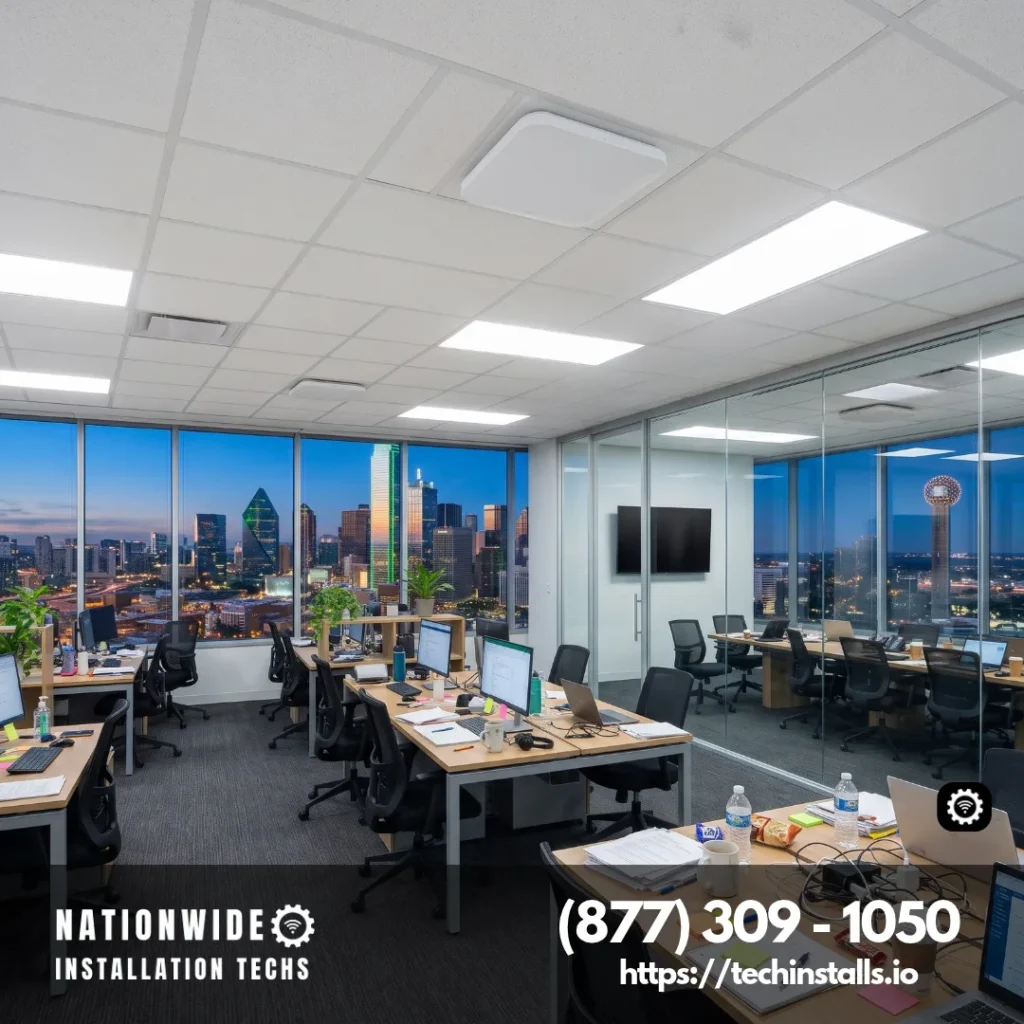
A wireless network is only as good as the cable and the switch behind it, so our wireless access point installation covers both sides. We mount the access points, pull a dedicated run to each one, land it on a powered switch port and make sure every device answers before we hand anything over. Guest, staff and equipment traffic can sit on separate networks set up to your IT policy.
The survey looks at what really blocks signal in your building: concrete cores in an office tower, steel racking in a warehouse, coolers and gondola shelving on a sales floor. A floor plan from your team speeds it up. What comes back says how many access points the space needs, where each one hangs, which cable paths they follow and whether any part of the job belongs to another trade, such as an electrician for a new outlet.
Office Wi-Fi in Downtown, Uptown and the Stemmons Corridor
Downtown Dallas is the second-largest business district in Texas, and Downtown Dallas, Inc. now counts the growth north of Woodall Rodgers Freeway, Uptown included, as part of it. Northwest of it, along the Stemmons Freeway, the Stemmons Corridor mixes office towers and hotels with industrial property. Offices in these buildings usually come with a suspended ceiling, a shared riser and a property manager with rules about how the work is done.
Inside an office suite we mount access points on the ceiling grid or a hard lid, centered on the rooms where people actually sit and meet rather than spaced evenly across the floor. Conference rooms and open work areas get their own coverage planning, because a room of forty laptops on video calls puts far more load on an access point than a hallway ever will. Ceilings that double as return-air plenums get plenum-rated cable on every run.
Most office jobs bring more than one network into the picture. Staff laptops, visitors and building equipment such as printers and badge readers each land on the network your IT team or managed service provider assigned to them, so a visitor on guest Wi-Fi never reaches the file server. We line up the cutover with your provider and the property manager, and the visit is timed around your business day so the floor stays productive.
Warehouse and Distribution Wi-Fi Across Dallas County
Rail lines, interstate highways and Dallas Fort Worth International Airport turned Dallas into a major inland port, and the distribution buildings that grew up around them are some of the hardest spaces in the county to cover. Ceilings climb high above the floor, steel racking splits the space into narrow canyons, and handheld scanners have to stay connected from the receiving door to the last aisle.
For warehouse Wi-Fi installation, access points go high on the structure, aimed down the racking aisles and spaced so coverage overlaps where pickers and forklifts travel. Dock doors and staging lanes get their own attention, since that’s where scanners and label printers work hardest. Runs ride J-hooks or conduit along the building steel, stay within the 100-meter limit for copper Ethernet and come back to a closet that may sit hundreds of feet across the floor.
Mounting at that height usually takes a lift, which we schedule with your facilities team around shift changes and peak shipping windows. When a yard office, guard shack or detached shop across the lot needs the network too, a wireless bridge can link it without a trench. Each access point is checked where it hangs, and we make sure scanners hold a connection in the deepest aisle before sign-off.
Retail Wi-Fi From NorthPark and the Galleria to Bishop Arts
Dallas retail runs from NorthPark Center, the largest mall in the Dallas–Fort Worth metroplex, at Northwest Highway and Central Expressway, and Galleria Dallas at LBJ Freeway and the Dallas North Tollway, to the independent boutiques and coffee shops of the Bishop Arts District, about two miles southwest of downtown. A store in any of them leans on wireless for inventory scanners, staff tablets, mobile checkout and shoppers who expect a signal.
Shelving, refrigerated cases and stockroom walls all eat into signal on a sales floor, so access points are positioned around the fixtures rather than the ceiling grid alone. Register and card terminal traffic stays on a segment of its own, walled off from shopper Wi-Fi in the way your IT team or payment provider specifies. Stockrooms and receiving areas get enough coverage for scanners to work where inventory actually lands.
A Dallas chain with several stores can have every location built the same way, with matching access point positions, cable labels and test results, which makes a help desk call from any one store easier to solve. Store cameras often share the same switches and cable paths, so our security camera installation team plans both together when a store needs both.
Restaurants, Hotels and Medical Suites
Dallas County’s 6,638 accommodation and food service locations and 8,377 health care sites each ask something different of a wireless network. A restaurant needs coverage for tablet ordering, kitchen display screens and the patio. A hotel needs guest Wi-Fi in rooms and meeting spaces kept apart from the front desk and back office. A medical or dental suite needs staff and patient traffic separated, with workstations and connected equipment on the segment the practice’s IT provider has set up.
In each case we place access points around how the space is used: dining room and bar, guest corridors and ballrooms, exam rooms and front desk. Guest networks stay isolated from business systems, and any segmentation follows the configuration your IT team or vendor supplies. We book the work around service hours, so a restaurant isn’t torn up during the dinner rush and a clinic keeps seeing patients.
Outdoor Wi-Fi for Patios, Lots and Loading Docks
Dallas summers are hard on anything mounted outside. Highs reach 90°F or more on about 108 days in a typical year at Dallas Love Field, and about 22 of those days hit 100°F, according to NOAA’s 1991-2020 normals, with June-through-August highs averaging 95.5°F. Patios, parking lots, loading docks and storage yards still need signal through all of it.
For outdoor access point installation, we use weather-rated equipment on secure mounts, with the cable entering the building through a sealed entry. Placement accounts for distance, trees, parked trailers and anything else between the access point and the people using it. Where coverage has to cross open ground to another building, a pair of point-to-point radios links that outbuilding into the same network.
The Cabling and Closet Work Behind Every Access Point
Business Wi-Fi installation fails most often at the wired layer, so the cable plant is core work for us, not an add-on. Every access point is fed by a dedicated Cat6 cable, or Cat6A when the design specifies it, hung on J-hooks or carried in conduit and labeled at both ends. Runs terminate on a patch panel in the network closet and are tested before anything is signed off.
The closet work covers the gear the access points depend on: patch panels, PoE switches, racks and cable managers, installed to your IT team’s design. We add up what every camera, phone and access point will draw and confirm the switch can power all of them before a new access point goes live. If a run has to cross a fire-rated wall, the hole gets a listed firestop seal before the crew moves on.
How a Dallas Commercial Wi-Fi Project Runs
A project moves through five stages. First we talk through your sites, the equipment planned for them and whoever on your team controls the network design. Next comes the survey, which settles where each access point hangs, the route every cable takes and anything that needs a different trade, and it ends in a written scope with a set price, agreed before scheduling.
Then the crew installs exactly what the scope lists, timed to your business hours. Testing comes before sign-off, with every cable, access point and link checked on site and any failure fixed while the crew is still there. The project closes with a handoff package: labels on every cable, photos of the finished installation and a record of each device’s location.
Wireless access point setup goes beyond confirming the lights on each unit. Depending on the scope, it can cover controller adoption, signal readings across the areas you named, phone and laptop connections, and an internet check from the new network. If your managed service provider finishes the configuration remotely, we confirm the hardware is reachable for them before sign-off.
What Shapes the Cost of Commercial Wi-Fi Installation in Dallas
How a Dallas Site Is Quoted
Each Dallas location gets its own price, set after the survey and put in writing before a visit is scheduled. The figure comes from what the survey turns up: the access point count, the length of each cable run, the way the building is constructed and the ceiling height. Closet work, such as a new switch or patch panel, appears as its own line in the same written scope.
Pricing Several Dallas-Area Locations
When a business has more than one site, each location still gets its own survey and its own line in the quote, so adding or dropping a store changes the total in a way you can see. Similar sites built to one standard keep the scope consistent from one to the next, and the commercial quote form on our Wi-Fi page asks how many locations you have from the start.
Dallas Districts and Business Areas We Cover
Our technicians cover all of Dallas and the rest of Dallas County. Downtown sits at the geographic center of the city. Uptown lies directly north of it, and Deep Ellum, with its venues, restaurants and businesses, sits just east of downtown. The Design District, a former warehouse district now known for interior design showrooms and galleries, lies just northwest of downtown, and the Stemmons Corridor runs northwest along Interstate 35E beyond it, home to the Dallas Market Center wholesale complex. North Dallas holds Galleria Dallas, and NorthPark Center stands at Northwest Highway and Central Expressway. In Oak Cliff, the Bishop Arts District sits about two miles southwest of downtown.
Dallas Business Wi-Fi Questions, Answered
Yes. A ceiling that serves as a return-air plenum gets plenum-rated cable throughout, and the access points mount on the grid or a hard lid over the rooms people use most.
Access points go high on the building structure, aimed down the racking aisles, with overlapping coverage at the dock doors and staging lanes where scanners work hardest.
Yes. Guest traffic runs on its own network, separated from payment, office and equipment traffic according to the configuration your IT team or provider sets.
Yes. Visits are booked around when your doors are open, cutovers can move to a quiet window, and our schedulers answer the phone seven days a week.
Each site is priced after its survey: how many access points it needs, how far each cable travels, what the walls and ceilings are made of and how high they sit. The price is in writing before scheduling.
Yes. Your IT team or provider owns the design, we carry it out on site, coordinate the switchover with your other vendors and leave the hardware ready for their configuration.
Yes. A refresh swaps aging access points and switches during your quieter hours, and every connection is checked and confirmed back online before sign-off.
Yes. We mount weather-rated outdoor access points on secure hardware, with the cable brought into the building through a sealed entry.
Yes. Two point-to-point radios, one on each building, carry the network to a detached office, shop or warehouse, with no trench needed.
A labeled cable plant, photos of the completed install and a list of where each access point and switch went, so your team can support the site from the first day.
Yes. A multi-location program has a single contact and a single schedule, and every site is built to the same standard, whether the stores sit across Dallas or in several states.
A licensed electrician handles line-voltage work such as a new outlet or a dedicated closet circuit, and we flag the exact spot for each one during the survey.
About Nationwide Installation Techs
Nationwide Installation Techs puts insured, background-checked technicians on commercial jobs in every state, whether the work is one office suite or a program spanning many locations. Each site is held to one install standard: surveyed first, cabled and labeled, tested before sign-off and documented for the IT team that supports it. When you book commercial Wi-Fi installation in Dallas with our team, that standard applies to the first access point and the last.
Our technicians also handle the cabling, network closets and cameras that a wireless network depends on, so one call covers the whole job. To schedule a survey, phone (877) 309-1050.
Book Commercial Wi-Fi Installation in Dallas: Call, Email or Use the Form
Nationwide Installation Techs LLC
- Phone: (877) 309-1050
- Email: support@techinstalls.io
- Free Quote: Contact Us Form


 Trustindex verifies that the original source of the review is Google.
 Trustindex verifies that the original source of the review is Google.
 Trustindex verifies that the original source of the review is Google.
 Trustindex verifies that the original source of the review is Google.
 Trustindex verifies that the original source of the review is Google.
 Trustindex verifies that the original source of the review is Google.
 Trustindex verifies that the original source of the review is Google.
 Trustindex verifies that the original source of the review is Google.

 Trustindex verifies that the original source of the review is Google.
 Trustindex verifies that the original source of the review is Google.
Get a Free Quote for Your Dallas Business Wi-Fi Installation
Enter in your preferred contact information and share a few details about your Dallas commercial Wi-Fi project. A team member will contact you in an average of 5 minutes or less!
By submitting your contact information through this website, you agree to be contacted by our company regarding your inquiry. We respect your privacy — your information will not be sold, shared, or added to any third-party marketing lists. Your details are used solely for communication related to our services.