

Is Starlink good enough for security camera systems? Yes, at most homes, farms, shops and job sites. A camera needs a steady upload connection more than a record-setting one, and Starlink’s Residential plans pair unlimited data with uploads that sit well above the 5 Mbps Ring recommends and the per-camera bitrates Reolink lists. The setup is what counts: open sky to the north, a sealed cable and a router close to the cameras. Our technicians can handle that part, backed by 110+ reviews from customers across the country.
Starlink for security cameras at a glance:
- Data: no cap on any Residential plan, according to Starlink’s plan page.
- Uploads: up to 20–40 Mbps on Residential Max, or up to 15–35 Mbps on the 200 Mbps and 100 Mbps plans, which Starlink offers in select areas.
- Camera side: Ring recommends 5 Mbps of upload for its Indoor Cam 2K.
- Local recording: wired PoE cameras with an SD card keep recording during an internet gap, per Reolink.
- Install: a one-time fee to us, separate from the monthly plan.
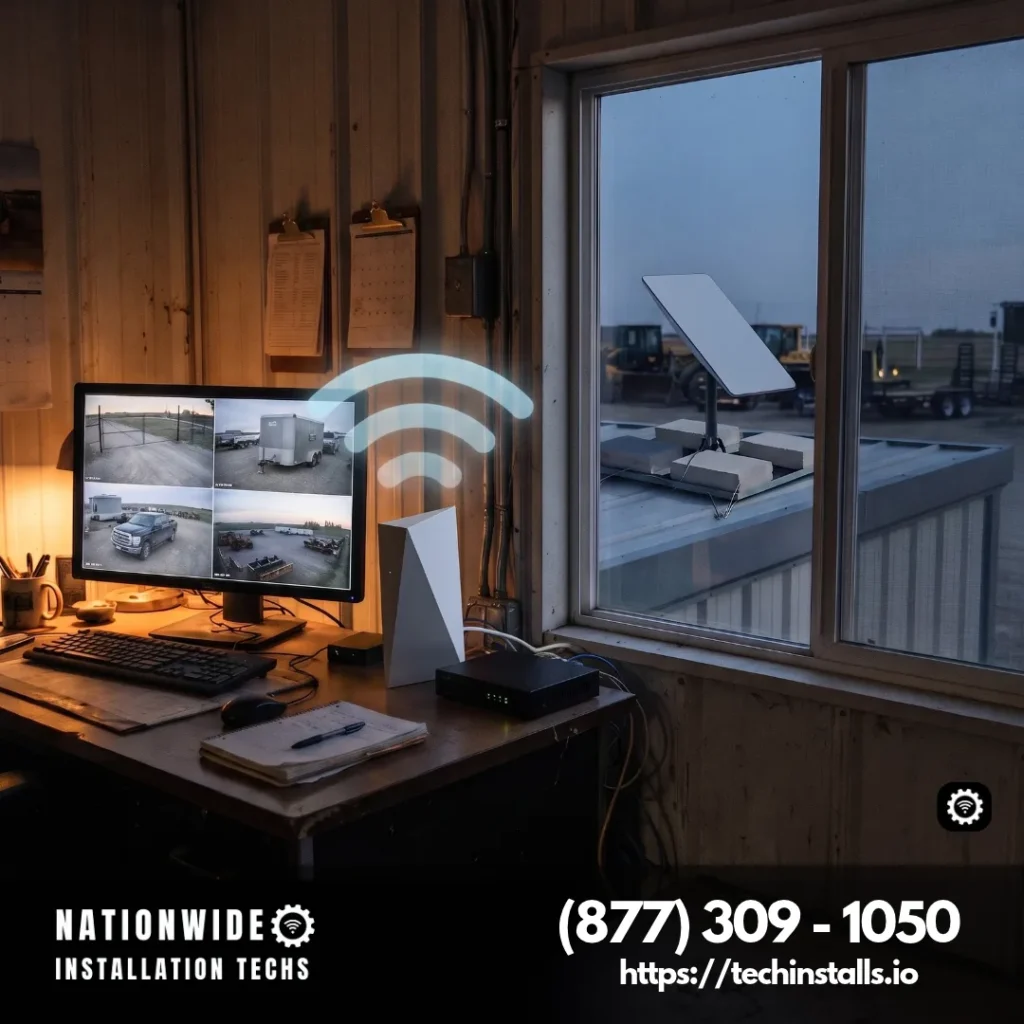
Starlink supplies the dish and the monthly service, and our independent technicians supply the install. The dish spot and the router spot are settled ahead of time, and we finish by measuring speed where the recorder or the busiest camera sits. Camera brands vary, so we plan the network around the cameras you already own or plan to buy. Our Starlink installation price list has the numbers, and (877) 309-1050 gets you on the schedule.
How Much Upload Speed Do Security Cameras Need?
Cameras push video out of your property, so upload capacity is the number that matters. Each manufacturer publishes its own guidance. Ring’s Indoor Cam page recommends 5 Mbps of upload for optimal performance, for example. Reolink’s bandwidth guide lists a stream of 8192 kbps in Clear mode and 512 kbps in Fluent mode for a wired camera, with the maximum bitrate differing by model, and its worked example adds a Clear-mode upload, a Clear-mode live view and an alert video to about 16 Mbps in total.
Those are manufacturer figures, and your own total depends on how many cameras stream at once and which quality you choose. A single-camera home sits far below them. A farm or shop with several cameras goes higher, and recording to a local drive with only motion clips sent out trims it back down.
Starlink Used With CCTV: What It Delivers
Starlink’s plan page lists uploads of up to 20–40 Mbps on Residential Max and up to 15–35 Mbps on Residential 200 Mbps and Residential 100 Mbps (offered in select areas), and none of the three limits data. Typical download speeds on Max run up to 400+ Mbps, and the page notes that plan availability and performance vary by region. Those upload ranges cover the Ring figure and a typical Reolink stream with room to spare, and even sit beside Reolink’s 16 Mbps worst-case example, which is why a one-camera doorstep setup and a multi-camera barn setup can both run on the same kind of dish.
Starlink’s network uses carrier-grade NAT (CGNAT), which suits cloud-connected camera apps because they reach their service outward on their own, the way they do on any connection. Cameras that stream straight from your own recorder use a remote-viewing option, and our Starlink IP address guide walks through the choices, including a third-party router and the public IPv4 option on Priority plans.
Cloud Cameras, Local Recording or Both?
Both work well, and many owners combine them. Cloud-connected cameras send clips to the maker’s service. Wired PoE cameras with an SD card or a recorder save footage on site, and a Reolink support article confirms that SD card recording and local viewing continue on the local network when the internet drops, while phone alerts and remote viewing run over your Starlink connection.
That pairing gives you a record of everything plus alerts when you’re away. Our technicians place the router so the recorder and cameras sit on the same local network, which keeps every device talking even when you’re not watching.
Where Starlink Works Well for Security Cameras
Starlink fits the places where cameras matter and wired internet is thin:
- Farms and acreage. A barn, shop or gate camera at the far end of the property joins the network through a wireless bridge to a barn, with no trenching and no second Starlink plan.
- Homes outside town. A rural home Starlink setup gives doorbell, driveway and garage cameras a dependable connection where cable never arrived.
- Job sites and yards. Camera poles and trailers at a work site can join the network that Starlink for remote job sites sets up, with the dish and router placed where the cameras can reach them.
- RVs and seasonal cabins. A parked rig or a lake cabin can watch its own door, and our page on Starlink for RV parks covers the connection for the camp or the rig.
- Trucks, fleets and boats. Our work on the move covers the connection: a Starlink bed rail clamp for pickups, a pipeline truck Starlink installation for work trucks and a trawler Starlink installation for vessels. The dash camera, tracker or deck camera remains the owner’s own equipment.
Who Benefits Most from Starlink for Cameras, and Who Can Keep It Simple
Starlink is a good fit for anyone who wants cameras that keep reporting from wherever the property is. A farm owner watching a barn gate, a family on acreage with a doorbell and driveway camera, a contractor watching a job site and an owner of a seasonal cabin or RV all get steady uploads and unlimited data without waiting on a cable provider.
Not every setup needs more than the basics. A doorbell camera, a single indoor camera or a small shop with two cameras runs happily on the standard install, with the router placed near the camera and nothing else added.
Larger systems pair well with a wired backbone, a switch and a recorder. Eight cameras recording around the clock at high quality, remote viewing from several screens or a property spread over several buildings are the jobs that suit it. If that describes your site, mention the camera count and the brand when you call, and we size the network to match.
How Our Technicians Set Up Starlink for Cameras
- Pick the dish spot. We read the northern sky through the seasons and choose a mount location that trees, rooflines and outbuildings won’t block.
- Fix the mount and seal the cable. The dish goes onto structure with a sealed entry, so rain stays outside the walls.
- Place the router near the cameras. Wired Ethernet runs to outdoor cameras, plus mesh nodes or an Ethernet Adapter, extend the network across a large house or a second building.
- Bring your own network if you like. Starlink allows third-party routers and mesh systems in place of its own, and using your own router with Starlink shows how each kit connects.
- Test on site. Before leaving, we test the speed where the recorder or the busiest camera sits.
Keeping Cameras Recording Through a Power Cut
A camera system needs electricity at three points: the cameras, the recorder and the internet. Each Starlink kit has a published average and idle wattage. Starlink’s help center lists the Starlink Mini at 20–40 W on average and 15 W at idle, and the Standard 4 at 75–100 W on average and 20 W at idle, both counting the router and power supply. A UPS or solar generator sized against that figure can hold the dish, the router and the recorder up together.
Our power outage Starlink backup guide explains the three backup tiers, from a UPS for short outages to a generator or a solar generator for long ones. The same visit can cover the recorder’s backup too.
Security Camera Questions About Starlink
Yes. Starlink Residential plans list unlimited data and uploads of up to 15–35 Mbps, or 20–40 Mbps on Residential Max (the 200 Mbps and 100 Mbps plans are offered in select areas), which covers the upload needs of a typical home or small-business camera system.
It depends on the brand and the quality setting. Ring recommends 5 Mbps of upload for its Indoor Cam 2K, and Reolink’s bandwidth guide lists maximum bitrates of 512 kbps in Fluent mode and 8192 kbps in Clear mode, differing by model.
Yes. Ring recommends 5 Mbps of upload for its Indoor Cam 2K, and Starlink’s Residential plans list uploads well above that. Our technicians place the router so the 2.4 GHz camera signal reaches each doorstep and room.
Yes. Cloud camera apps reach their service over Starlink as they do anywhere, and cameras streaming from your own recorder use a remote-viewing option, such as a third-party router or the public IPv4 choice on Priority plans. Our IP address guide walks through each, and our technicians can set up the router for your system.
Yes. Starlink’s plan page lists unlimited data on every Residential plan, so continuous uploads from cloud-connected cameras never run into a monthly data cap on that plan, whichever camera brand you choose.
Yes, when they record locally. Reolink states that its PoE cameras keep recording to an SD card without internet, while push alerts and remote viewing need an internet connection, which your Starlink provides.
Yes. Starlink allows third-party routers and mesh systems with its kits, and most connect over Ethernet. Our technicians match the setup to your kit and place the router near the cameras.
Yes, once a backup is in place. A UPS bridges brief outages for the dish, router and recorder, while a generator or solar generator takes over for long ones, all sized from Starlink’s published wattage.
Yes. Starlink lists the Mini at 20–40 W on average and 15 W at idle, router included, which makes it a good match for a cabin, a small shop or a remote gate camera where power is limited. Your plan sets the upload speed, and our technicians match the kit to the number of cameras you want online.
Yes. A solar generator sized to the kit’s published wattage, plus the cameras and recorder, keeps the system running day and night. Starlink lists the Mini at 20–40 W on average and the Standard 4 at 75–100 W, and our power outage guide covers how a solar generator fits in.
Yes, most of them. Wi-Fi cameras such as Ring’s Indoor Cam 2K, which connects at 2.4 GHz, and wired PoE cameras such as Reolink’s both need only an internet connection with enough upload, and Starlink supplies that. Our technicians place the router and the Ethernet run so each camera reaches the network.
Yes. Our point-to-point bridges link buildings from 100 feet to a mile apart, so a barn or shop camera reaches the house network without a second Starlink plan or a trench.
Yes. Site cameras join the Starlink network we set up, and the dish goes where rising steel and scaffolding leave the northern sky open. The cameras themselves remain your own equipment.
Yes. Our technicians fit the dish and cabling on RVs, trucks and boats. The camera itself remains yours, and we connect the router so your camera app reaches the internet from the road or the dock.
Yes. You pay Starlink monthly for service, and you pay us a one-time fee for the install. Our installation price list shows the one-time rates, and a quote follows your call.
About Nationwide Installation Techs
To our technicians, a camera system is one more job that depends on a well-made install: a firm mount, a sealed cable and a router set close to the cameras. Over 3,000 Starlink installations have taught us that routine. Our insurance covers every visit, we work independently of Starlink and SpaceX, and 110+ Google reviews average 4.9 stars. Browse the places our technicians work and call (877) 309-1050 when you’re ready.
Plan a Starlink Install for Your Cameras
Nationwide Installation Techs LLC
- Phone: (877) 309-1050
- Email: support@techinstalls.io
- Free Quote: Contact Us Form
Read What Our Customers Say
Posted on Google
 Ray Marsh6 days ago
Trustindex verifies that the original source of the review is Google.
I was very pleased with the professional service I received during the process of contacting Nationwide about my Starlink install and setup. They went beyond helping me out about everything I would need and the Technion was very good and showed up on time and made sure everything was working well before he left.Posted on Google Thad Humphrey8 days agoThe tech was on time, professional, courteous, and friendly. The installation looks great, works great and I’d recommend them to anyone.Posted on Google
 rick butterfield11 days agoEmployee who installed my replacement StarLink did an excellent job. Professional, knowledgeable, great to work withPosted on Google
 Tracy Vass20 days agoHad a Starlink mini installed. Tech got right to it and got cables run through the crawl space and into my “Comms closet” in my garage. Tech was familiar with the Hardy siding on the house and was able to get the mini mounted with no issues. Antenna was aligned and tested and working in short order. Whole heartedly recommend Nationwide Installation Techs. Install was done in Coupeville, WA.+2Posted on Google
 Joyce Stowe24 days agoI had my Starlink installed at my home this past June, and it’s been working well. It was really easy working with these guys — from appointment setup to install. I’d highly recommend them to anyone who’s wanting a professional Starlink install.Posted on Google
 Jeff Reiss26 days agoExcellent service and even better people. Super helpful to work with.Posted on Google
 Nathan Shrout29 days agoGreat customer service and they were very quick to respond. Our Starlink was not working in our RV. Harold and Grant were great to work with.Posted on Google
 Patrick Collins41 days agoInstaller was friendly and made quick work of the installation. We had an issue connecting to our network, but he was able to troubleshoot the issue with me. Very pleased with whole process.Posted on Google
 Bonnie Wernette41 days agoWorks great. No issues whatsoever. Tv doesn’t freeze and haven’t been kicked off once. Glad I got it.Posted on Google
 Dan Hickox42 days agoAlthough the tech had some problems the first time he came out, he and his team stuck with me until a successful solution was found. Professionally done, honest, the second trip did the job. The Starlink AI agent was singularly unhelpful; but Nationwide Installation Techs LLC filled the gap with real humans who understood the problem and got the correct equipment and installed it properly. Now I have great TV and WiFi service in a remote part of the Colorado mountains.Verified by TrustindexTrustindex verified badge is the Universal Symbol of Trust. Only the greatest companies can get the verified badge who has a review score above 4.5, based on customer reviews over the past 12 months. Read more


Get a Free Quote
Share the camera locations and count, and your install quote follows.
By submitting your contact information through this website, you agree to be contacted by our company regarding your inquiry. We respect your privacy — your information will not be sold, shared, or added to any third-party marketing lists. Your details are used solely for communication related to our services.
Connectivity News & Updates

Is Starlink Internet Fast Enough for 4K Streaming?
Is Starlink internet fast enough for 4K streaming? Yes, by...


Starlink Dynamic Pricing for Residential
Starlink dynamic pricing for Residential plans matches your monthly rate...

Is Starlink a Static or Dynamic IP Address?
Is Starlink a static or dynamic IP address? Starlink assigns...
Disclaimer: Nationwide Installation Techs LLC is an independent business and has no affiliation or official connection with Starlink, SpaceX, or any of their subsidiaries or affiliates. We are not associated with, authorized, endorsed, or sponsored by these companies in any capacity. For official information, please visit the Starlink and SpaceX websites at www.starlink.com and www.spacex.com. The names “Starlink,” “SpaceX,” and any related trademarks, logos, or imagery are the exclusive property of their respective owners.
Any references to “certified” or “certification” on this website refer exclusively to Nationwide Installation Techs LLC’s proprietary in-house technician certification program. This training and certification process was developed by our company based on the experience and installation methods of professional technicians who have collectively completed more than 3,000 successful Starlink installations while maintaining an overall 4.9-star customer review rating. It is not affiliated with, issued by, approved by, or endorsed by Starlink, SpaceX, or any of their affiliates.