

Is Starlink internet fast enough for 4K streaming? Yes, by a wide margin. Netflix asks for 15 Mbps for 4K, YouTube for 20 Mbps and Apple and Max for 25 Mbps, while Ookla’s Speedtest data put the typical US Starlink download at 127.39 Mbps in the first quarter of 2026. Residential plans also come with unlimited data, so a long 4K evening never runs into a monthly allowance. What decides how sharp the picture looks is the home around the dish: where the router sits, how each TV connects and how many screens run at once. Our technicians set that up on every install, and 110+ reviews on Google average 4.9 stars.
4K streaming on Starlink at a glance:
- Services: 15 to 25 Mbps for one 4K stream, per Netflix, YouTube, Apple and Max.
- Typical speed: a 127.39 Mbps median download at 39 ms latency, with uploads around 21.46 Mbps, per Ookla’s Q1 2026 data.
- Data: every Residential plan includes unlimited data, per Starlink’s plan page.
- Wi-Fi: Router 3 is a Wi-Fi 6 tri-band router with two Ethernet ports, per Starlink.
- Install: billed once by us, apart from the Starlink plan.
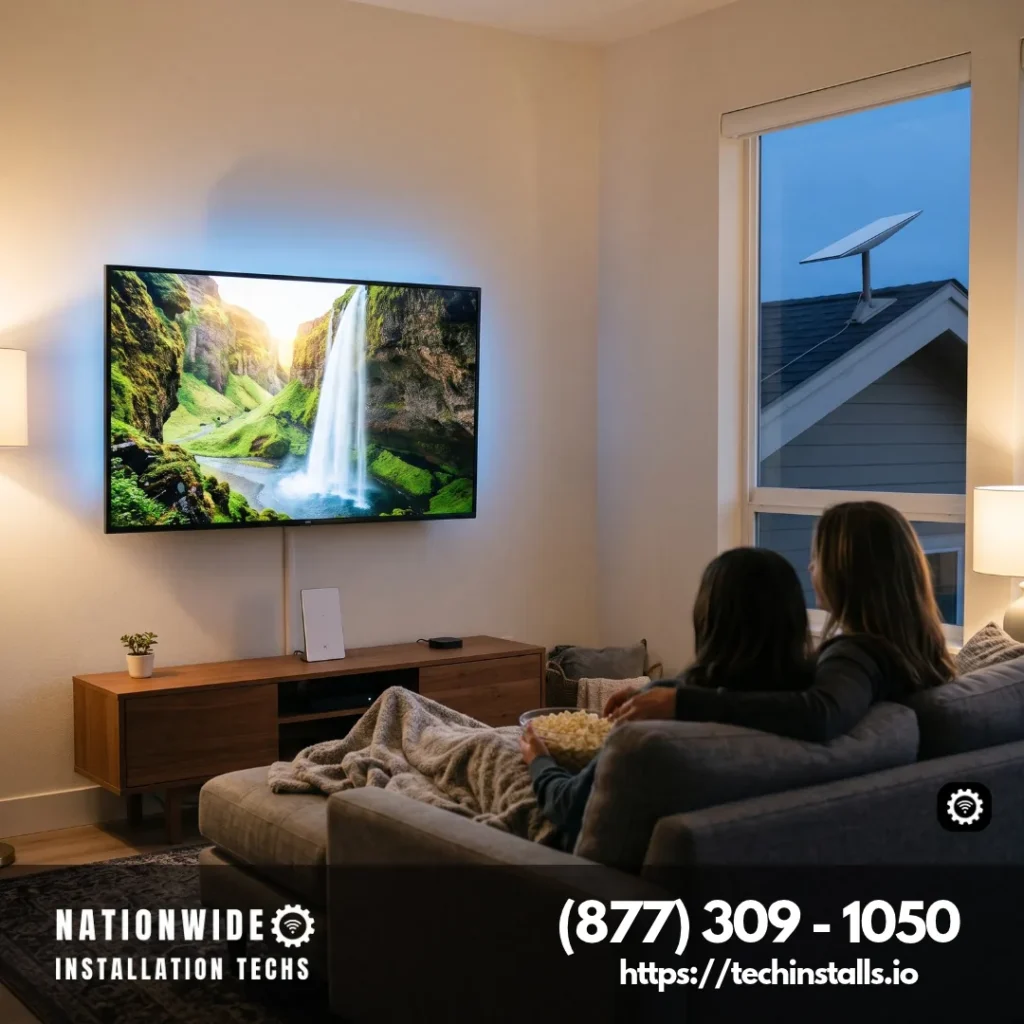
You order the dish and the plan from Starlink, and we handle everything from the mount to the speed test. We choose the dish location with the widest view of the sky, set the router near the TVs and confirm the speed before we pack up. If you want the Netflix-specific version of this topic, our Netflix on Starlink guide covers it, and (877) 309-1050 books a visit.
Is Starlink Internet Fast Enough for 4K Streaming? What Each Service Asks For
Every service publishes its own number, and the numbers are close together. Here is what four of them say on their help pages, next to the typical Starlink speed.
| Service | What it says about 4K |
|---|---|
| Netflix speed guide | 15 Mbps or higher for Ultra HD (4K), 5 Mbps for 1080p |
| YouTube system requirements | 20 Mbps recommended sustained speed for 4K UHD, 5 Mbps for 1080p |
| Apple TV app support | A minimum of 25 Mbps for 4K streaming |
| Max 4K help page | 25 Mbps or higher for 4K, with 50+ Mbps recommended |
Ookla’s May 5, 2026 report on Starlink is the best public yardstick for what a household typically gets. Across Speedtest users, the Q1 2026 medians were 127.39 Mbps for downloads, 21.46 Mbps for uploads and 39 ms of latency. For the second half of 2025, Ookla found median Starlink downloads of 100 Mbps or more in every state except Alaska. Those are national medians, not a promise for one address, yet a 4K stream that wants 15 to 25 Mbps fits well inside them.
Other services, including Disney+ and Prime Video, publish figures of their own, so check their help pages for the latest numbers. Whichever service you watch, the comparison is the same: its 4K number against a typical Starlink speed that is several times larger.
How Many 4K Screens Can One Starlink Run at Once?
The answer comes from simple arithmetic. Take the strictest figure above, 25 Mbps per 4K screen, and multiply by the number of TVs watching at the same moment. This is our planning budget, not a measurement, and real streams often use less because Netflix asks for 15 and YouTube for 20.
| 4K screens at once | Planning budget at 25 Mbps each | Starlink plan that leaves room for the rest of the house |
|---|---|---|
| 1 | 25 Mbps | Any Residential plan |
| 2 | 50 Mbps | Any Residential plan |
| 3 | 75 Mbps | The 100 Mbps plan works; the 200 Mbps plan or Max adds room |
| 4 | 100 Mbps | The 200 Mbps plan or Max |
| 6 | 150 Mbps | Max, with typical downloads up to 400+ Mbps |
Starlink describes the Residential 100 Mbps plan, with downloads up to 100 Mbps, as a fit for one-to-three-person households that stream, make video calls and browse. The 200 Mbps plan, with downloads up to 200 Mbps, is aimed at small to medium households that stream with moderate use, and Residential Max, with typical downloads of up to 400+ Mbps, is the plan Starlink recommends for large households and heavy users.
Max also has the highest network priority among Residential plans; Starlink says that means the fastest speeds in the busiest hours, which suits evening movie time. Plan availability varies by address, and a plan can be changed later.
Uploads travel separately: Max is listed at up to 20–40 Mbps, and the 100 and 200 Mbps plans at up to 15–35 Mbps in select areas, enough to keep a video call going while the TVs stream.
4K Data per Hour: Why Unlimited Matters for Movie Night
4K is a lot of video, and Netflix’s own data usage page shows it: on the High setting, Ultra HD can use up to 7 GB per hour on each device, compared with up to 3 GB for HD. A three-hour film in 4K can therefore use up to about 21 GB, and two screens double that.
That is why the unlimited data on Residential plans matters. A family that watches 4K every evening does not have to count gigabytes or lower the picture quality to stay under a limit, and a weekend of football on two TVs is simply a weekend of football. Away from home the picture changes a little: Starlink says a Roam plan is required to use service at a different address or while traveling, so match a Roam plan’s data allowance to how much 4K you plan to watch.
HDR, Dolby Vision and Atmos: What Else a 4K Picture Needs
Speed is one link in a chain that also includes the plan, the TV and the cable. Max lists what it needs for 4K with HDR10 or Dolby Vision: a 4K Ultra HD TV that displays Dolby Vision or HDR10, a supported 4K device, the Premium plan, high-speed internet (25 Mbps or higher, 50+ Mbps recommended), and HDMI 2.0 with HDCP 2.2 on every device in the chain, from the TV and media player to the audio/video receiver, cables and adapters.
Apple describes the same idea from the viewing side. In the Apple TV app, 4K plays at 3840 x 2160 compared with 1920 x 1080 for HD, HDR adds a broader range of colors and brightness, and content plays automatically in the best format your device supports. Dolby Atmos adds three-dimensional sound on a compatible sound system.
So when a 4K title looks softer than expected, the internet is rarely the first thing to check. The subscription tier, the TV or box, the HDMI cable and the picture setting each decide whether the service sends 4K at all, and Starlink supplies plenty of speed for all of them.
Wi-Fi and Wired: Getting 4K to Every TV
The dish brings the internet to the house, and the router carries it to the screens. Starlink’s Wi-Fi guidance is short and practical:
- Put the router in a central spot. Place it in the part of the home where you most often use your phone, tablet or computer, on a hard, flat surface at least halfway up the room.
- Give it open space. Starlink says not to put the router in a cabinet, a media console or a closet, and to keep it at least 20 feet from microwaves, refrigerators, metal, concrete and brick.
- Keep walls to a minimum. Expect the strongest signal in the same room or one or two rooms over, with thinner walls passing it along better.
Router 3 is a Wi-Fi 6 tri-band router, and Starlink lists streaming, gaming and remote work among the homes it fits. It has two LAN ports under its cover, so the main TV can connect by Ethernet with no extra part; Starlink’s guidance for the Gen 2 router is to use a Starlink Ethernet adapter. A wired connection is the surest path to full speed on the biggest screen in the house.
For far rooms, Starlink Mesh routers connect to the main router and extend Wi-Fi into weak areas. Starlink says to place each mesh router between the main router and the rooms with a weak signal, keep each one to two rooms from the main router, and use no more than three. Homes over 6,000 square feet should wire the mesh routers with Ethernet. You can also tell where a weak spot is from the Starlink app: its advanced speed test, under Device → Router, measures your Wi-Fi speed, and comparing it with the router-to-internet test shows whether Wi-Fi or the dish side sets the limit.
Live Sports and Live TV in 4K
Live events use the same connection as a movie. Netflix’s speed page covers TV shows, movies and live events together, and the 15 Mbps figure applies to all of them, so a live game in 4K asks no more of Starlink than a film does. Ookla’s 127.39 Mbps typical download is several times that 15 Mbps, so one live game uses a small slice of the line, and a wired TV or streaming box removes the Wi-Fi step for the screen where you watch the big game.
If you plan to watch live sports on several screens, use the budget table above: three TVs on 4K football need about 75 Mbps, which the 100 Mbps plan covers and the 200 Mbps plan or Max covers with room for everything else on the network.
Who Gets the Most from 4K, and Who Is Happy at 1080p
Starlink suits anyone who wants a sharp 4K picture without waiting on a cable company. A family with several 4K TVs, a sports household with a game on two screens, a ranch or lake cabin where cable never arrived, an RV or boat owner who wants movie night wherever the rig is parked, and a home theater owner with a 4K projector all get the speed to match.
Not every household needs 4K to enjoy Starlink. A couple that watches one show at a time can leave the TV on 1080p, which Netflix, YouTube and Max each rate at about 5 Mbps, and still have a speedy connection for everything else. They can switch their TV to 4K later without changing anything at the dish, because Starlink’s typical speeds already cover it.
Check Your 4K Setup in Five Minutes
- Test the speed on the TV itself. Fast.com works from any phone, tablet or computer, and the Netflix app can check the network from its Get Help menu.
- Compare Wi-Fi with the dish. In the Starlink app, run the advanced speed test and compare Device → Router with the default router-to-internet result.
- Wire the main TV. Plug it into a Router 3 LAN port with an Ethernet cable, and the biggest screen no longer depends on Wi-Fi.
- Check the chain. The service plan, the TV or box, the HDMI cable and the picture setting each have to support 4K.
- Move the router if a room is weak. A central, open spot on a flat surface, or a mesh router one to two rooms away, fills most weak rooms.
Where We Install Starlink for 4K: Homes, Businesses and Rigs
A setup that carries 4K well is what we aim for on every job. At home, our whole-home Starlink Wi-Fi setup puts the dish on a clear view of the sky and the router where the TVs are. For retail stores, offices and lobbies with screens to run, business Starlink for retail stores keeps screens running, and a wireless link to guest quarters carries the same connection to a guest house or den out back.
On the move, our RV Starlink with an indoor router setup keeps movie night going at the campground, and SUV and van Starlink installs cover road-trip rigs. Contractors and service teams get Starlink for work truck and van fleets, and boat owners get Starlink for sailboats and cruisers so the salon TV works on the water.
4K Streaming on Starlink: Your Questions Answered
Yes. Netflix, YouTube, Apple and Max ask for 15 to 25 Mbps per 4K stream, and Ookla measured a typical Starlink download of 127.39 Mbps in Q1 2026, with unlimited data on Residential plans.
Yes. Starlink is an ordinary internet connection, so any service that streams 4K over the internet works on it, provided your TV, plan and HDMI path support 4K too.
It depends on the service. Netflix lists 15 Mbps or higher, YouTube recommends a sustained 20 Mbps, and Apple and Max list a minimum of 25 Mbps, with Max recommending 50+ Mbps for the best result.
Yes. The Mini is an ordinary Starlink connection, so any service that streams 4K works on it once the speed reaches what the service asks for, which is 15 to 25 Mbps per stream. Pair it with a plan that fits where you use it.
Plan on about 25 Mbps per 4K screen. That is 75 Mbps for three TVs and 100 Mbps for four, so the 100 Mbps plan suits up to three screens, and the 200 Mbps plan or Max suits four or more with room to spare.
On Netflix’s High setting, 4K uses up to 7 GB per hour on each device, compared with up to 3 GB for HD. Residential plans include unlimited data, so a night of 4K at home doesn’t count against an allowance.
Yes. Starlink describes it as a fit for one-to-three-person households that stream, and it covers up to three 4K screens at the 25 Mbps planning budget.
Residential Max. Starlink lists it as the Residential plan with the highest network priority, which it says gives the fastest speeds during the busiest hours, with typical downloads of up to 400+ Mbps.
Yes. Router 3 is a Wi-Fi 6 tri-band router, and Starlink lists streaming among the homes it fits. Place it centrally, in open space, within about one to two rooms of the TV.
Yes. Router 3 has two LAN ports under its cover, and the Gen 2 router connects to other devices with a Starlink Ethernet adapter. A wired TV is the surest way to get full speed on the biggest screen.
Yes. A Starlink Mesh router placed between the main router and the weak room, one to two rooms from the main router, extends Wi-Fi to it, and Starlink allows up to three mesh routers.
Yes. Live events use the same speed a movie does, and Ookla’s typical Starlink download of 127.39 Mbps in Q1 2026 is several times the 15 to 25 Mbps a 4K stream asks for. A wired TV or box adds steadiness.
Yes. Disney+ streams over Starlink like any internet connection, and typical Starlink downloads are well above the 15 to 25 Mbps the 4K services above ask for. Disney publishes its own figure, so check its help page for the latest number.
Yes. Starlink says a Roam plan is required to use service away from your registered address or while traveling, and our technicians mount the dish and place the router so the TV works wherever the rig is parked.
About Nationwide Installation Techs
Ask us “is Starlink internet fast enough for 4K streaming?” and we start with the house: where the dish sees the most sky, where the router should sit and which TV gets a cable. Behind that routine are over 3,000 completed Starlink installs. Our visits are insured, and we operate independently of Starlink and SpaceX. Browse what each Starlink job costs and every city we cover, or call (877) 309-1050 to book.
Set Up Starlink for 4K Streaming
Nationwide Installation Techs LLC
- Phone: (877) 309-1050
- Email: support@techinstalls.io
- Free Quote: Contact Us Form
Read What Our Customers Say
Posted on Google
 Ray Marsh7 days ago
Trustindex verifies that the original source of the review is Google.
I was very pleased with the professional service I received during the process of contacting Nationwide about my Starlink install and setup. They went beyond helping me out about everything I would need and the Technion was very good and showed up on time and made sure everything was working well before he left.Posted on Google Thad Humphrey9 days agoThe tech was on time, professional, courteous, and friendly. The installation looks great, works great and I’d recommend them to anyone.Posted on Google
 rick butterfield12 days agoEmployee who installed my replacement StarLink did an excellent job. Professional, knowledgeable, great to work withPosted on Google
 Tracy Vass21 days agoHad a Starlink mini installed. Tech got right to it and got cables run through the crawl space and into my “Comms closet” in my garage. Tech was familiar with the Hardy siding on the house and was able to get the mini mounted with no issues. Antenna was aligned and tested and working in short order. Whole heartedly recommend Nationwide Installation Techs. Install was done in Coupeville, WA.+2Posted on Google
 Joyce Stowe25 days agoI had my Starlink installed at my home this past June, and it’s been working well. It was really easy working with these guys — from appointment setup to install. I’d highly recommend them to anyone who’s wanting a professional Starlink install.Posted on Google
 Jeff Reiss27 days agoExcellent service and even better people. Super helpful to work with.Posted on Google
 Nathan Shrout30 days agoGreat customer service and they were very quick to respond. Our Starlink was not working in our RV. Harold and Grant were great to work with.Posted on Google
 Patrick Collins42 days agoInstaller was friendly and made quick work of the installation. We had an issue connecting to our network, but he was able to troubleshoot the issue with me. Very pleased with whole process.Posted on Google
 Bonnie Wernette42 days agoWorks great. No issues whatsoever. Tv doesn’t freeze and haven’t been kicked off once. Glad I got it.Posted on Google
 Dan Hickox43 days agoAlthough the tech had some problems the first time he came out, he and his team stuck with me until a successful solution was found. Professionally done, honest, the second trip did the job. The Starlink AI agent was singularly unhelpful; but Nationwide Installation Techs LLC filled the gap with real humans who understood the problem and got the correct equipment and installed it properly. Now I have great TV and WiFi service in a remote part of the Colorado mountains.Verified by TrustindexTrustindex verified badge is the Universal Symbol of Trust. Only the greatest companies can get the verified badge who has a review score above 4.5, based on customer reviews over the past 12 months. Read more


Get a Free Quote
Tell us how many TVs you stream on and where the router sits, and your install quote follows.
By submitting your contact information through this website, you agree to be contacted by our company regarding your inquiry. We respect your privacy — your information will not be sold, shared, or added to any third-party marketing lists. Your details are used solely for communication related to our services.
Connectivity News & Updates

Is Starlink Good Enough for Security Camera Systems?
Is Starlink good enough for security camera systems? Yes, at...


Starlink Dynamic Pricing for Residential
Starlink dynamic pricing for Residential plans matches your monthly rate...

Is Starlink a Static or Dynamic IP Address?
Is Starlink a static or dynamic IP address? Starlink assigns...
Disclaimer: Nationwide Installation Techs LLC is an independent business and has no affiliation or official connection with Starlink, SpaceX, or any of their subsidiaries or affiliates. We are not associated with, authorized, endorsed, or sponsored by these companies in any capacity. For official information, please visit the Starlink and SpaceX websites at www.starlink.com and www.spacex.com. The names “Starlink,” “SpaceX,” and any related trademarks, logos, or imagery are the exclusive property of their respective owners.
Any references to “certified” or “certification” on this website refer exclusively to Nationwide Installation Techs LLC’s proprietary in-house technician certification program. This training and certification process was developed by our company based on the experience and installation methods of professional technicians who have collectively completed more than 3,000 successful Starlink installations while maintaining an overall 4.9-star customer review rating. It is not affiliated with, issued by, approved by, or endorsed by Starlink, SpaceX, or any of their affiliates.