

Can Starlink be used for cell phones? Yes, in two ways. The everyday way is Wi-Fi: once a Starlink dish is online, your phone uses that connection for Wi-Fi Calling and texting through your own carrier, plus messaging and video apps, at home, in an RV or on a boat. The second way skips the dish. Starlink’s direct-to-cell satellites, now branded Starlink Mobile, send texts and app data straight to compatible phones, sold in the US through T-Mobile’s T-Satellite. Our technicians set up the dish and the Wi-Fi so calls stay clear in every room, and customers rate that work 4.9 stars across 110+ reviews on Google.
Starlink and cell phones at a glance:
- Over the dish: any phone joins Starlink Wi-Fi like any other network, and Wi-Fi Calling uses it for voice calls wherever your carrier offers the feature, per Apple’s Wi-Fi Calling guide.
- Your number: Starlink internet isn’t a phone carrier, so your number, voice plan and texting stay with the mobile carrier you already use.
- Satellite to phone: Light Reading reported in March 2026 that SpaceX’s direct-to-cell service, renamed Starlink Mobile, runs on 650 satellites and reaches 10 million active users a month.
- In the US: T-Mobile’s T-Satellite carries texts, picture messages and select apps on about 60 compatible phone models, with a clear view of the sky.
- Our role: we mount the dish, place the router and mesh, and test calls before we leave; Starlink bills its plan and your carrier bills your phone line.
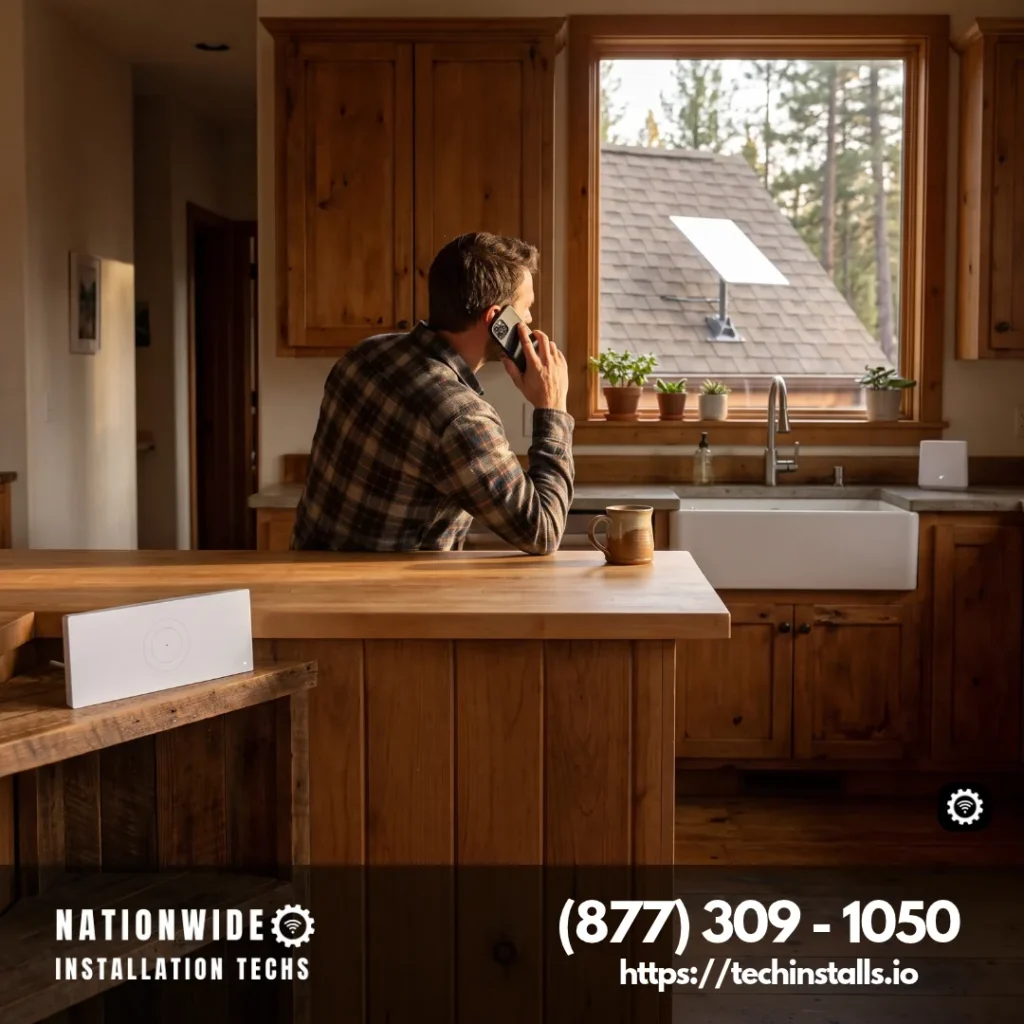
You order the Starlink kit and plan from Starlink, and your phone plan stays with your carrier. Our part is the install: the mount, the cable, the router spot and the mesh, then a speed check and a call from your own phone before we pack up. The satellite-texting side gets a closer look in our T-Satellite usage guide, and a call to (877) 309-1050 sets up the install.
Two Ways Your Phone Works with Starlink
The first path is the Starlink dish itself. It brings broadband to your router, the router makes Wi-Fi, and your phone joins that Wi-Fi the same way it joins any home or hotel network. From there the phone places Wi-Fi calls through your carrier, sends iMessage, RCS and app messages, and runs FaceTime, WhatsApp, Zoom and every other app that rides on internet data. Nothing on the phone changes, and no SIM or new number is involved.
The second path goes straight from satellite to handset, with no dish. SpaceX launched direct-to-cell satellites that act like cell towers in orbit, and phones in supported countries connect to them through a partner carrier when no ground tower is in range. In the US that partner is T-Mobile, and the product is T-Satellite. Light Reading’s March 2026 report from MWC says the service was renamed Starlink Mobile and is live in 32 countries across six continents.
The two fit different moments. The dish gives a home, cabin, rig or boat full broadband for every phone and device on board. Satellite-to-phone keeps a single handset texting when you hike, drive or paddle past the last bar of coverage.
Wi-Fi Calling on Starlink at Home
Wi-Fi Calling is a phone and carrier feature, and Starlink supplies the internet underneath it. Apple’s guide presents it as the way to place and take voice calls on Wi-Fi wherever cell coverage is thin or missing, and its troubleshooting steps begin by confirming that your carrier offers Wi-Fi Calling. Android phones offer the same feature in their calling settings wherever the carrier supports it.
That makes Starlink a strong fit for houses where cell bars fade indoors: a farmhouse with metal siding, a cabin in a hollow, a basement office or a property at the edge of a carrier’s map. Turn on Wi-Fi Calling once, and the phone hands calls to Starlink whenever the cellular signal is weaker than the Wi-Fi. Calls come from your usual number, and texts arrive in your usual inbox.
Coverage inside the house decides how good those calls sound. A router in a back closet can leave the far bedroom or the porch on a single weak bar of Wi-Fi, so we place the router near the rooms used most and add mesh nodes where the floor plan needs them. Our whole-home Wi-Fi calling setup plans where the dish sits, how the cable reaches the router and where each mesh node goes, all in one visit.
Texting, Messaging Apps and Video Calls Over Starlink Wi-Fi
Every app that uses internet data works over Starlink Wi-Fi. iMessage and FaceTime between iPhones, RCS chats on Android, WhatsApp, Signal, Messenger, Teams and Zoom all treat the dish like any other broadband line. Families often lean on these for video calls with grandkids, and remote workers for meetings that run all afternoon.
A home phone line can ride on the same connection. Internet phone services (VoIP) plug into the router and give you a landline-style number over Starlink, which suits households and small offices that want a desk phone. A shop or clinic can keep its card reader and its phones on the same Starlink link, and our front-desk phones on Starlink page covers business setups and backup lines.
Phones on the Road and on the Water: RVs, Vehicles and Boats
The dish travels, and so does the Wi-Fi your phone uses. Taking Starlink beyond the home address calls for a Roam plan, Starlink says, and its Roam and Priority plans also cover in-motion use in authorized locations. Once the rig or boat has Starlink Wi-Fi, every phone on board places Wi-Fi calls and streams the same way it does at home.
RVers use this at campgrounds where the park Wi-Fi is crowded and the cell signal drops behind the hills. Our RV and camper Wi-Fi calling installs put the dish where trees and the roof air conditioner stay out of its view and the router where the whole coach can reach it.
Pickups and SUVs get the same benefit on long drives through thin coverage. Our phone signal in your pickup page explains bed-rail, headache-rack and roof mounts that keep the cab connected. Companies with work trucks can give every unit one matching setup through service-truck phone coverage, so a field tech can call the office from the job site.
On the water, Wi-Fi from the dish keeps phones connected well past the reach of shoreline towers. See Wi-Fi calling for boaters for mounts on arches, hardtops and rails, placed where a tower or bimini won’t shade the dish.
Starlink Cell Service Straight to Your Phone: T-Satellite and Starlink Mobile
T-Satellite is the US version of Starlink’s satellite-to-phone service, so in the US, Starlink Mobile phone service comes through T-Mobile. According to SatelliteInternet.com’s T-Satellite guide, updated July 2026, it supports texting, picture messages and location sharing, plus data for select apps: WhatsApp, Google Maps, AllTrails, AccuWeather, X and T-Mobile’s T-Life app. Voice and video calls run through WhatsApp, and native carrier voice over satellite is still in development.
The phone has to see open sky, so it works best outdoors: a trailhead, a ranch road, a lake or a ridge. When no ground tower is in range, a compatible phone switches to the satellite network, which makes it a strong safety net for hikers, hunters, ranchers and anyone who drives remote highways. Inside a house or a cabin, the dish and Wi-Fi Calling remain the way to talk.
Outside the US, Starlink partners with mobile carriers in other countries, among them Rogers in Canada, Optus and Telstra in Australia, One NZ in New Zealand and KDDI in Japan. Features and launch dates vary by carrier, so the partner carrier’s own page has the details for each country.
Starlink Cell Phone Plans and Price: What T-Satellite Costs
T-Satellite is included with T-Mobile’s Experience Beyond plan and costs $10 a month as an add-on for other T-Mobile plans, per the same July 2026 guide. Customers on other carriers, including AT&T and Verizon, can sign up too with a compatible unlocked phone that has an open eSIM slot.
The dish side has its own two costs. Starlink bills the monthly plan, priced for your address when you order. Installation from us is billed once, for the mount, cable, router placement and mesh, and you see that price before you book. Your phone plan stays exactly as it is.
Which Phones Work with Starlink Direct to Cell
About 60 phone models work with T-Satellite, including most recent iPhone, Samsung Galaxy and Motorola models, according to the July 2026 guide. App data over satellite reaches select models first, so check your exact model on your carrier’s compatibility list before you add the service.
For Wi-Fi Calling over a Starlink dish, the list is far wider: any phone your carrier supports for Wi-Fi Calling uses it, and any phone at all can run messaging and video apps over the Wi-Fi.
What's Next: Starlink Mobile and Next-Generation Satellites
SpaceX agreed in September 2025 to buy EchoStar’s AWS-4 and H-block spectrum for about $17 billion, a deal The Register reported would let SpaceX build a next-generation direct-to-cell constellation “capable of providing broadband service to cell phones globally” and give Boost Mobile subscribers access to it. In early October 2026, Satellite Today reported, the FCC approved SpaceX’s request for 15,000 direct-to-device satellites, a system separate from the broadband constellation, and SpaceX plans to start flying them in 2027.
At MWC in March 2026, SpaceX executives said the second generation should reach up to 150 Mbps in ideal conditions, with launches on Starship predicted from mid-2027, as Light Reading reported from MWC. SpaceX told the conference it is working with phone and modem makers so the service reaches most devices in the US by mid-2027. Until then, the dish plus Wi-Fi Calling is the way to get full-speed data and calls on your phone through Starlink.
Who Gets the Most from Each Option
The dish route pays off for anyone who spends long hours in one place with weak bars: a rural home, a cabin, a farm office, an RV parked for the season, a boat at the dock or offshore. Every phone in the household gets calls, texts and video at broadband speed, and the same connection runs TVs, laptops and cameras.
Satellite-to-phone shines for people on the move past the towers: hikers, hunters, ranch hands, long-haul drivers and families on road trips through empty country. A text or a map pin can still get through when the signal bar reads zero.
Not everyone needs both. A household in a city with strong bars indoors and out may be happy with its current phone plan and add Starlink only for home internet. A weekend camper who stays near town may skip satellite texting until a backcountry trip makes it worth adding. A cabin owner with a dish and good Wi-Fi Calling already has the calling side covered.
Get Strong Wi-Fi Calling Everywhere on the Property
Starlink Wi-Fi calling is only as good as the Wi-Fi in the spot where you stand. Before anyone drives out, our free virtual survey checks the sky view for the dish from your photos, and the install visit then places the router and mesh nodes so the kitchen, the bedrooms and the porch all carry a strong signal. The visit ends with a call placed from your own phone and a speed check.
Properties with outbuildings get one connection everywhere through a shop and barn wireless bridge, so a phone in the workshop, the barn office or the guest cottage calls over Wi-Fi without a trench or a second plan.
Can Starlink Be Used for Cell Phones? Questions Answered
Yes. Phones join Starlink Wi-Fi for Wi-Fi Calling, texting and apps through your carrier, and compatible phones can also text from Starlink’s satellites in orbit when T-Mobile or another partner carrier provides the service.
Not a Starlink-branded handset. Starlink works with the phone you already own: over Wi-Fi from a Starlink dish, or straight from its satellites through T-Mobile’s T-Satellite on compatible models.
Yes. Starlink cell phone service reaches mobile phones two ways while your carrier keeps your number: over the dish through Wi-Fi Calling, and off the grid through satellite-to-phone service such as T-Mobile’s T-Satellite.
Yes. An iPhone joins Starlink Wi-Fi like any network and uses it for Wi-Fi Calling, iMessage and FaceTime. Recent iPhone models are also on T-Satellite’s compatible phone list for satellite texting.
Starlink internet comes without a phone number. Your carrier provides the number and the voice plan, and Starlink supplies the internet those calls ride on. For a landline-style number, an internet phone (VoIP) service plugs into the Starlink router.
Enable Wi-Fi Calling, found in the phone or cellular section of your settings, join the Starlink network, and dial as usual. Your carrier needs to offer Wi-Fi Calling, and calls go out from your own number.
Place the router close to the rooms you use most and add mesh nodes wherever the signal thins out. Planning that layout is part of every install we do.
It is SpaceX’s satellite-to-phone service, with satellites that work like cell towers in orbit. Light Reading reported in March 2026 that it runs on 650 satellites and reaches 32 countries through partner carriers.
It is included with T-Mobile’s Experience Beyond plan and costs $10 a month as an add-on, per a July 2026 guide. Customers on AT&T or Verizon can add it with a compatible unlocked phone and an open eSIM slot.
About 60 models, including most recent iPhone, Samsung Galaxy and Motorola phones, according to a July 2026 guide. App data over satellite reaches select models, so check your model on the carrier’s list.
Yes. T-Satellite is open to AT&T and Verizon customers who have a compatible unlocked phone with an open eSIM slot, for $10 a month.
Yes. Today that runs through apps: WhatsApp voice and video calls work over T-Satellite’s app data, and native carrier voice over satellite is still in development. Over a Starlink dish, regular Wi-Fi calls work today.
Outdoors, under open sky, since the phone talks to satellites overhead. Indoors, Wi-Fi Calling over a Starlink dish takes over.
Light Reading reported 32 countries across six continents in March 2026. Partner carriers include Rogers in Canada, Optus and Telstra in Australia, One NZ in New Zealand and KDDI in Japan.
Yes. Put a Starlink dish on the camper or the boat, add a Roam plan for travel, and every phone aboard can call, text and stream over its Wi-Fi.
Yes. With a Starlink dish and Wi-Fi Calling turned on, your phone places calls over Wi-Fi wherever the bars fade, so the far bedroom or the basement office stays reachable.
Starlink works through carriers, so you keep a mobile carrier for your number. In the US, T-Mobile sells Starlink’s satellite texting as T-Satellite, and the Starlink dish adds Wi-Fi Calling to any carrier that supports it.
About Nationwide Installation Techs
When someone asks “can Starlink be used for cell phones?”, we start with where their calls cut out: which rooms, which outbuildings, which campsites. That habit grew out of more than 3,000 completed Starlink installs by our professional, experienced technicians, who bring an expert eye to dish and router placement. Every visit is insured, the company is independent of Starlink and SpaceX, and Google reviewers give us a 4.9-star rating from 110+ reviews. Browse every city and state we serve, or phone (877) 309-1050 to schedule.
Book a Starlink Install for Better Phone Coverage
Nationwide Installation Techs LLC
- Phone: (877) 309-1050
- Email: support@techinstalls.io
- Free Quote: Contact Us Form
Read What Our Customers Say


 Trustindex verifies that the original source of the review is Google.
 Trustindex verifies that the original source of the review is Google.
 Trustindex verifies that the original source of the review is Google.
 Trustindex verifies that the original source of the review is Google.
 Trustindex verifies that the original source of the review is Google.
 Trustindex verifies that the original source of the review is Google.
 Trustindex verifies that the original source of the review is Google.

 Trustindex verifies that the original source of the review is Google.
 Trustindex verifies that the original source of the review is Google.
 Trustindex verifies that the original source of the review is Google.
Get a Free Quote
Tell us where you want stronger Wi-Fi calling, at home, in the shop or on the road, and your install quote follows.
By submitting your contact information through this website, you agree to be contacted by our company regarding your inquiry. We respect your privacy — your information will not be sold, shared, or added to any third-party marketing lists. Your details are used solely for communication related to our services.
Connectivity News & Updates


Is Starlink Internet Fast Enough for 4K Streaming?
Is Starlink internet fast enough for 4K streaming? Yes, by...

Is Starlink Good Enough for Security Camera Systems?
Is Starlink good enough for security camera systems? Yes, at...

Disclaimer: Nationwide Installation Techs LLC is an independent business and has no affiliation or official connection with Starlink, SpaceX, or any of their subsidiaries or affiliates. We are not associated with, authorized, endorsed, or sponsored by these companies in any capacity. For official information, please visit the Starlink and SpaceX websites at www.starlink.com and www.spacex.com. The names “Starlink,” “SpaceX,” and any related trademarks, logos, or imagery are the exclusive property of their respective owners.
Any references to “certified” or “certification” on this website refer exclusively to Nationwide Installation Techs LLC’s proprietary in-house technician certification program. This training and certification process was developed by our company based on the experience and installation methods of professional technicians who have collectively completed more than 3,000 successful Starlink installations while maintaining an overall 4.9-star customer review rating. It is not affiliated with, issued by, approved by, or endorsed by Starlink, SpaceX, or any of their affiliates.